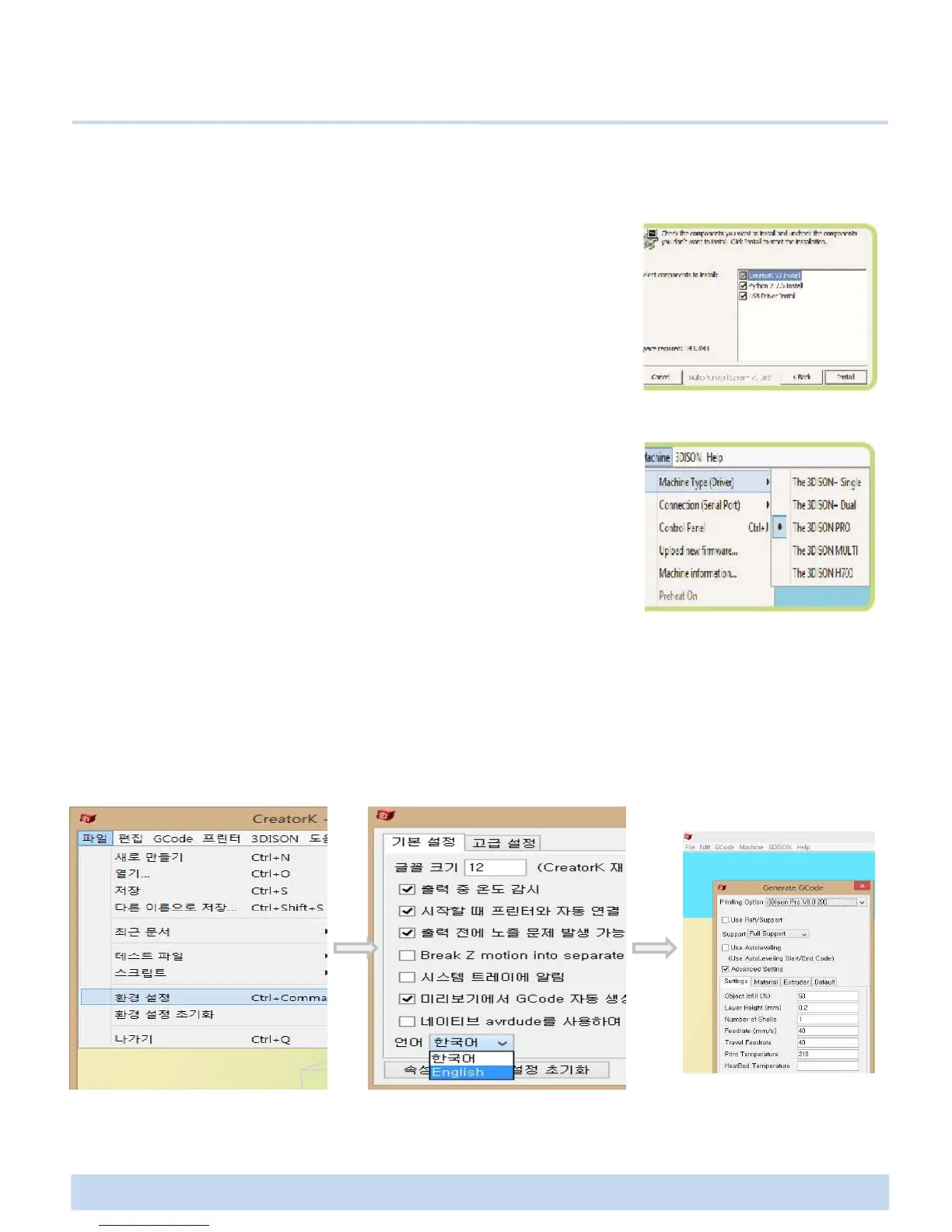
2. Follow the directions to install the software. The installation
of Python 2.7.6 and USB driver is automatically implemented
at the same time.
※ Python : It is one of the widely used programming languages which
enable the slicing program named Skeinforge to activate.
E. Making a print with CreatorK 8
E2 How to use CreatorK 8 (Continued)
3. Go to the Desktop and you can see the “CreatorK”
generated. Once you opened CreatorK 8, select Machine >
Machine Type. You should select corresponding Machine Type
of 3DISON single, 3DISON duo, 3DISON MULTI, 3DISON PRO
or 3DISON H700.
4. In order to select the language displayed on this software, please refer to the below
images(it shows how to change Korean into English). Finally, close the CreatorK 8 and
restart it. Now CreatorK will be ready to use.



 To Next Page