Laser Engraver
With this laser engraver, it is possible to cut off a thin wood or acrylic board what
you design in 3D modeling tool. Before you start installing using this laser engraver,
please make sure to be EXTRA PRECAUTIOUS when handling the laser engraver.
Annex2.
Options for Premium Users
(Laser Engraver / WiFi Camera / Embedded Battery)
(This symbol stands for warning in using lasers.)
Power must be off before installation for your safety.
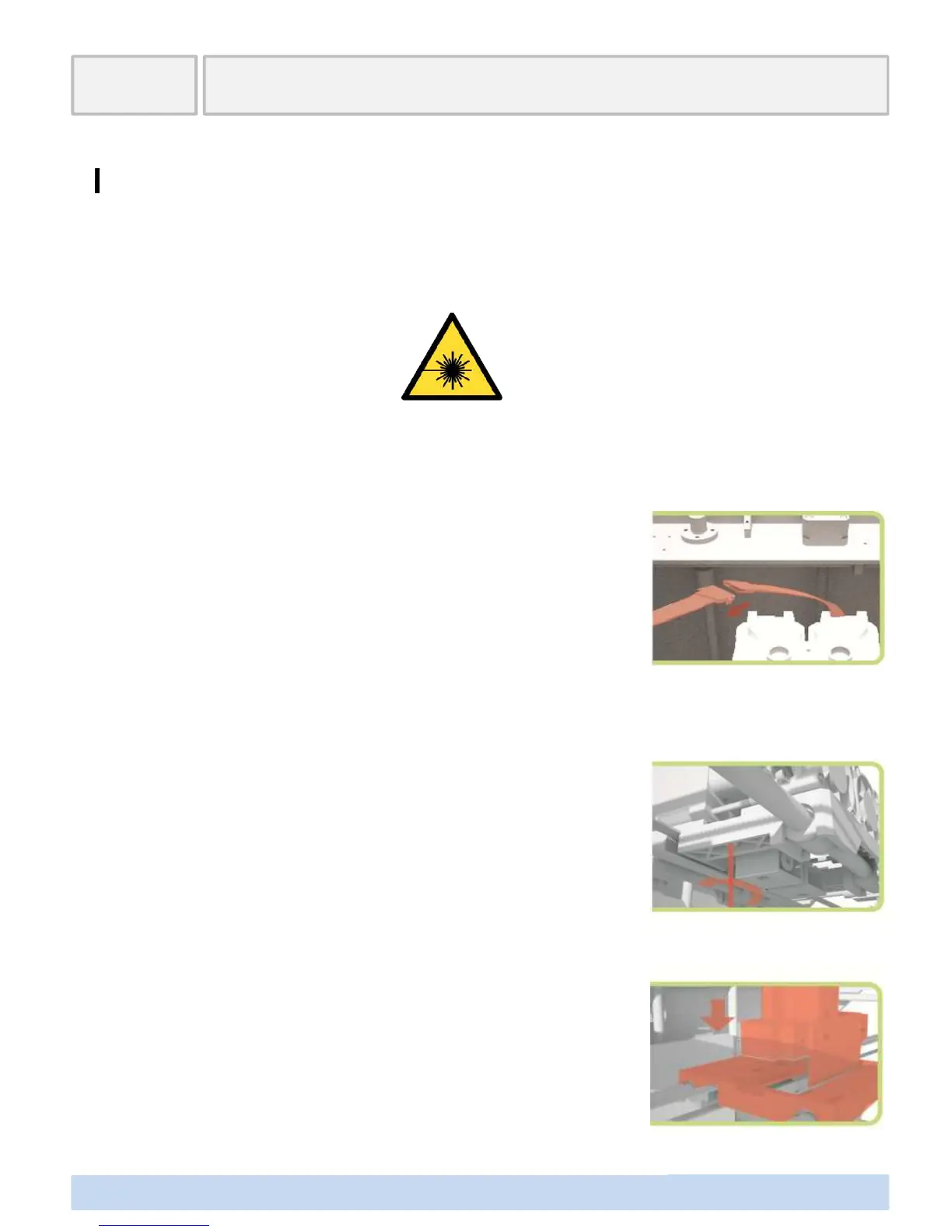
Separate the existing extruder connector and PCB connector.
Release connecting two bolts between the nozzle mount and
the existing extruder using a hex wrench and then separate.
(This symbol stands for warning in using lasers.)
∃DISON PRO User Manual V.1 31
Assemble the laser mount in the right direction on the separ
ated nozzle mount and fix it using a connecting bolt.



 To Next Page