5. Settings
5.1 Quick Setup
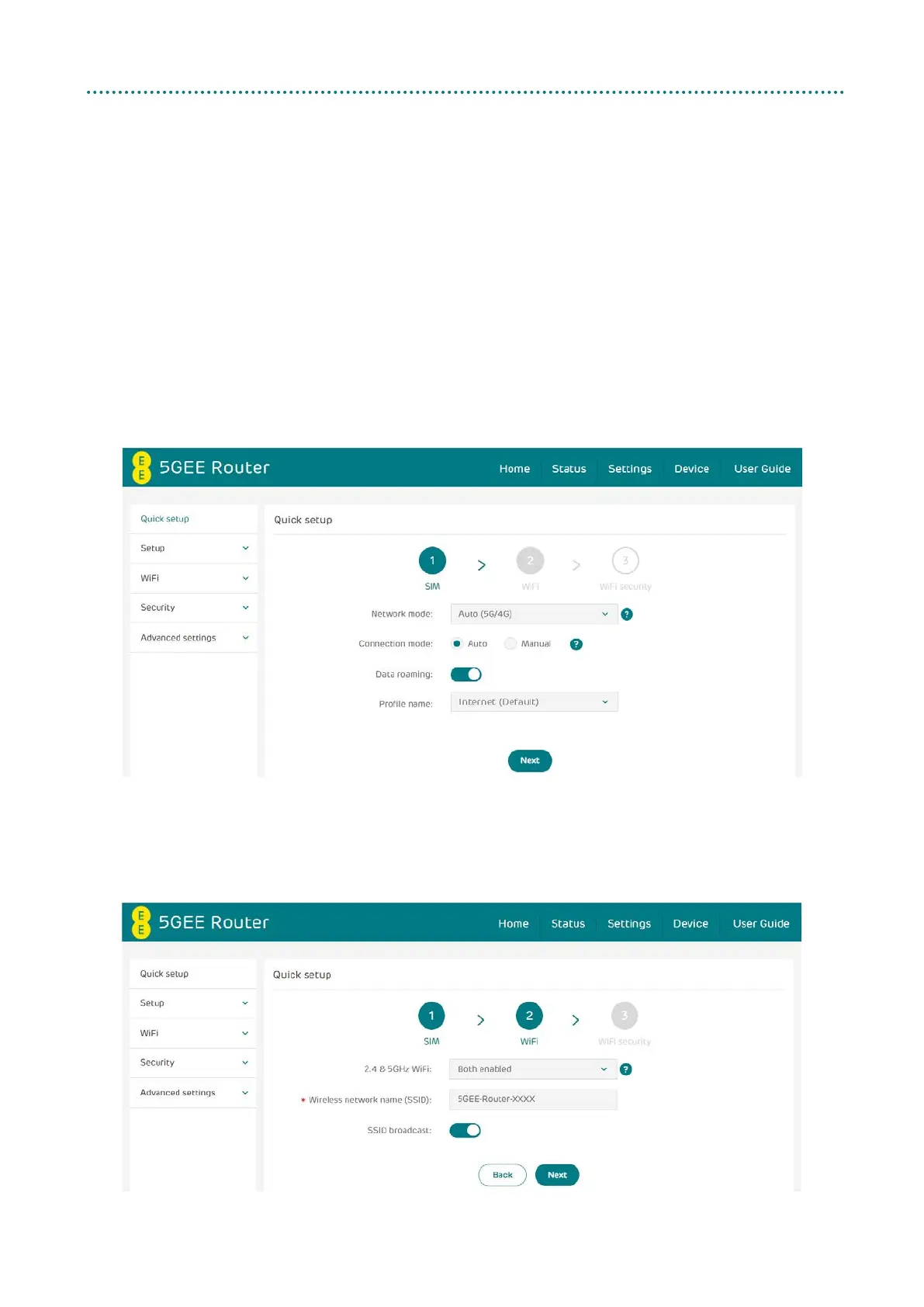
You can make changes to basic connection settings in the SIM page and
enable/disable data roaming.
Selecting connection mode Auto will establish an internet connection
automatically.
Selecting connection mode Manual will establish an internet connection
by clicking the Connect button on the Status > Internet page.
On the WiFi page, you can change the 2.4 and 5 GHz Wireless network
name (SSID), SSID broadcast function or disable the WiFi.



 To Next Page