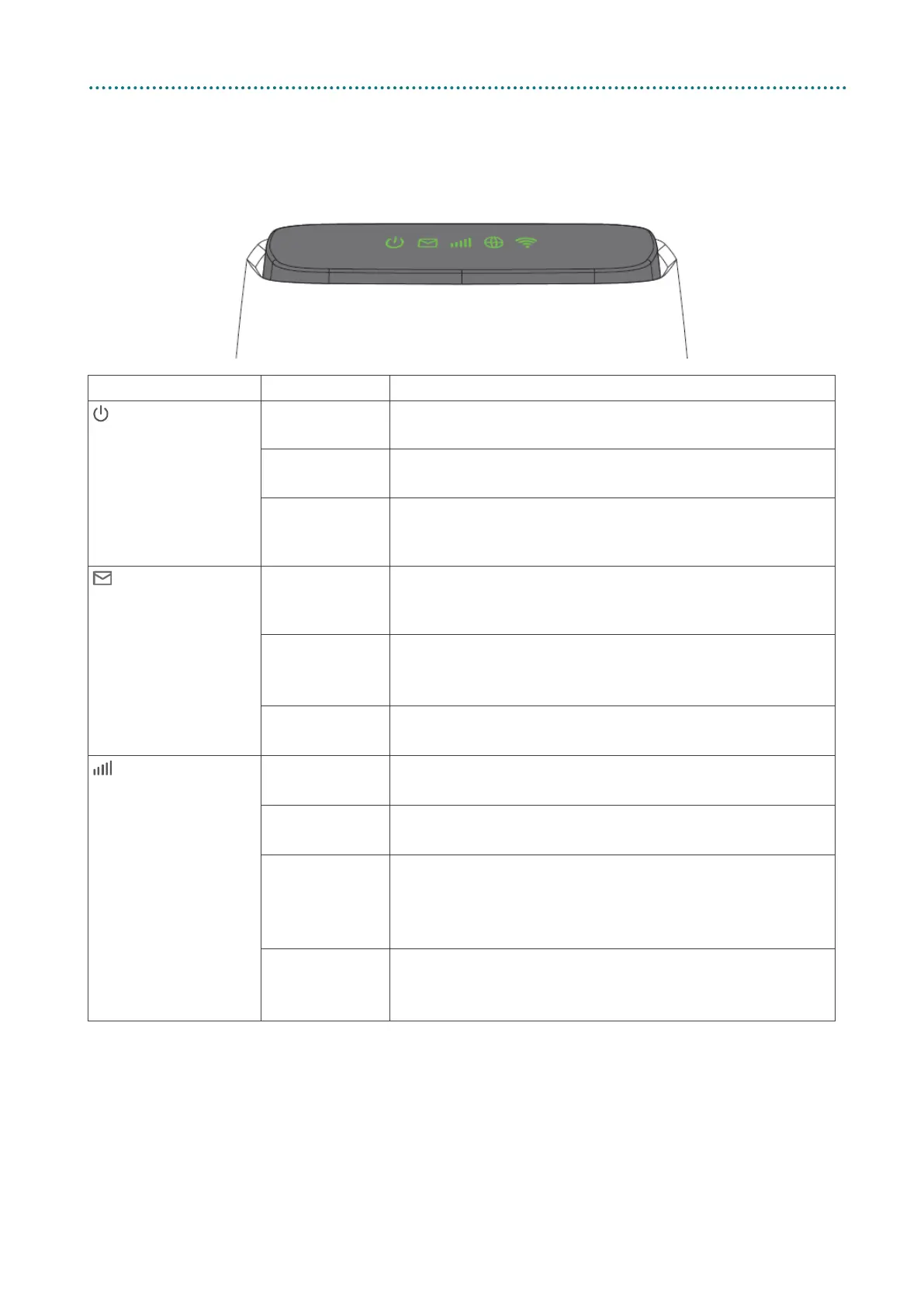
1.3 Device description
1.3.1 Top view (LED indicators)
LED Type Status Description
Power Green
Your 5GEE Router is powered on
The green light shows the power is on.
Flashing
Green
Your 5GEE Router is starting up
The 5GEE Router is booting.
No light
The power is off
The 5GEE Router power is off. A green light will appear
once you press the power button on.
SMS Green
Unread messages
A new SMS message has been received. Check your
Flashing
Green
Inbox is full
You can delete messages through the SMS inbox in
No light
No unread messages
All SMS messages have been read.
Network type Blue
5G signal
Your 5GEE Router is connected to the 5G network.
Green
4G signal
Your 5GEE Router is connected to the 4G network.
Red
No coverage or no SIM
Check your SIM card is correctly inserted in the SIM
slot. If the indicator remains red, there is still no signal
No light
WAN/reset mode, startup or firmware upgrade
The 5GEE Router is booting, or is connected in
Ethernet WAN mode (see Advanced settings).



 To Next Page