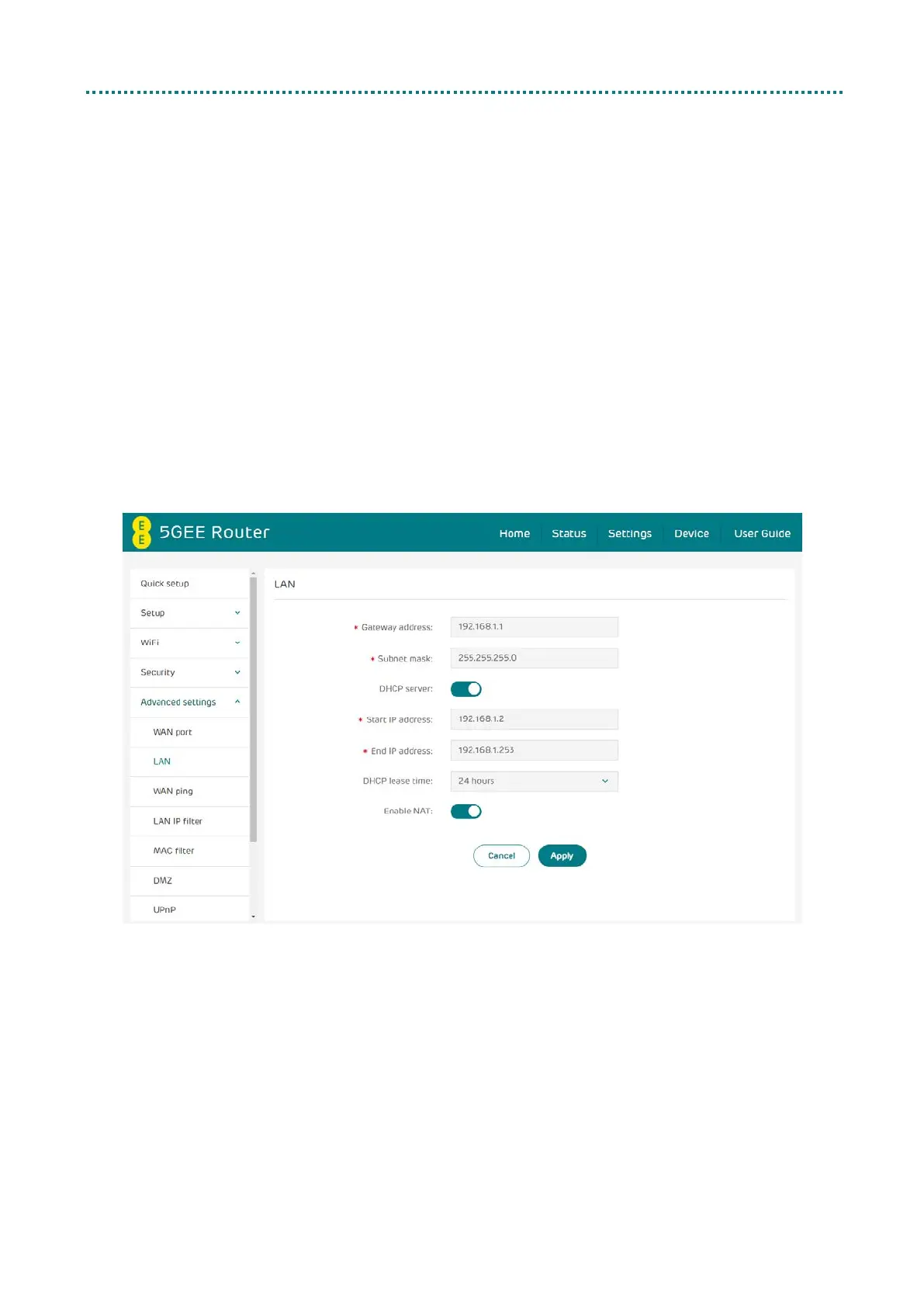
LAN
Local area network (LAN) settings are displayed here. The default
Gateway address is 192.168.1.1.
The default Subnet mask is 255.255.255.0.
The DHCP server is enabled by default and will automatically assign IP
addresses to devices in the network.
Enable NAT (Network Address Translation) to translate the IP address of
a host in a packet, for example, the source address of an outgoing packet,
used within one network to a different IP address known within another
network. This setting should remain enabled to connect to the internet
normally through the 5GEE Router.



 To Next Page