History
BWD FWD Mode
History
BWD FWD Mode
History
BWD FWD Mode
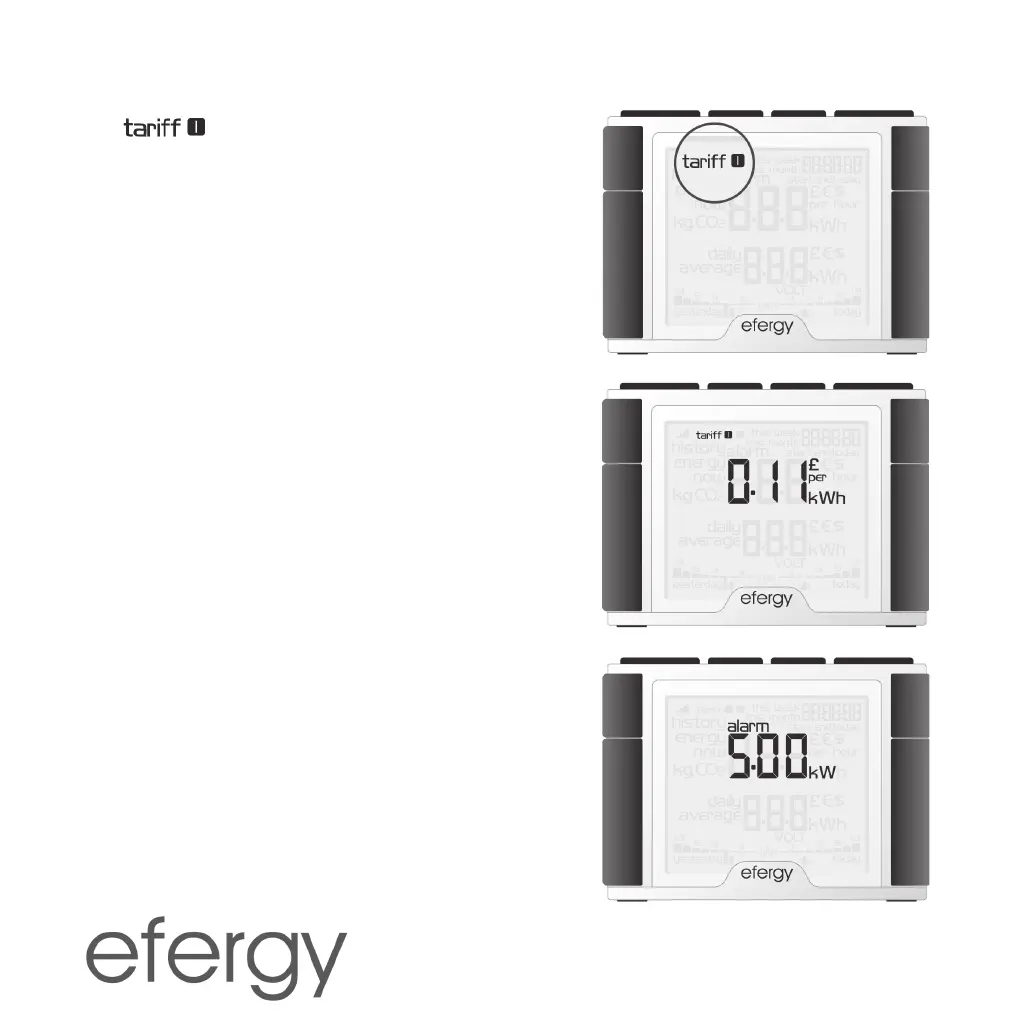
STEP 3. SINGLE TARIFF
The
symbol will begin flashing. Press [Mode]
to confirm if you use a single tariff. Refer to section
Dual
Tariff if you have an electricity meter for dual tariffs.
Tip: During the entire installation process you may press
[History] to save your settings and return to normal
display mode.
STEP 4. COSTS
Set the correct tariff using the [Bwd] and [Fwd] buttons.
Press [Mode] to confirm and continue.
STEP 5. KG CO
2
(KG CARBON DIOXIDE PER KWH)
The kg CO
2
/kWh can be adjusted with the [Bwd] and
[Fwd] buttons. Press [Mode] to confirm and continue on
to setting the alarm.
STEP 6. ALARM
(HIGH-ENERGY CONSUMPTION ALARM)
The preset alarm value is set to 5 kW. If the alarm
feature is activated and you use more than 5 kW the
alarm will sound and a red indicator lamp will light on the
display unit. The alarm activation value can be set using
the [Bwd] and [Fwd] buttons. Press [Mode] to confirm.
Press [Alarm on/off] on the back of the display unit to
activate or deactivate the alarm. Press [History] to exit
the settings mode.


 To Next Page