13
History
BWD FWD Mode
History
BWD FWD Mode
OTHER SETTINGS
The energy meter must be programmed with the correct tariff per kWh in order to give accurate
information. Setting the tariff (valid only if you DO NOT have a dual tariff meter).
N.B. You must be in normal display mode before adjusting any settings. Press [History] the
required number of times until history NO LONGER shows in the display.
Activating the settings mode: Depress [Mode] for two seconds.
N.B. If no button is pushed for 20 seconds the display will go back to normal display mode
without saving any changes.
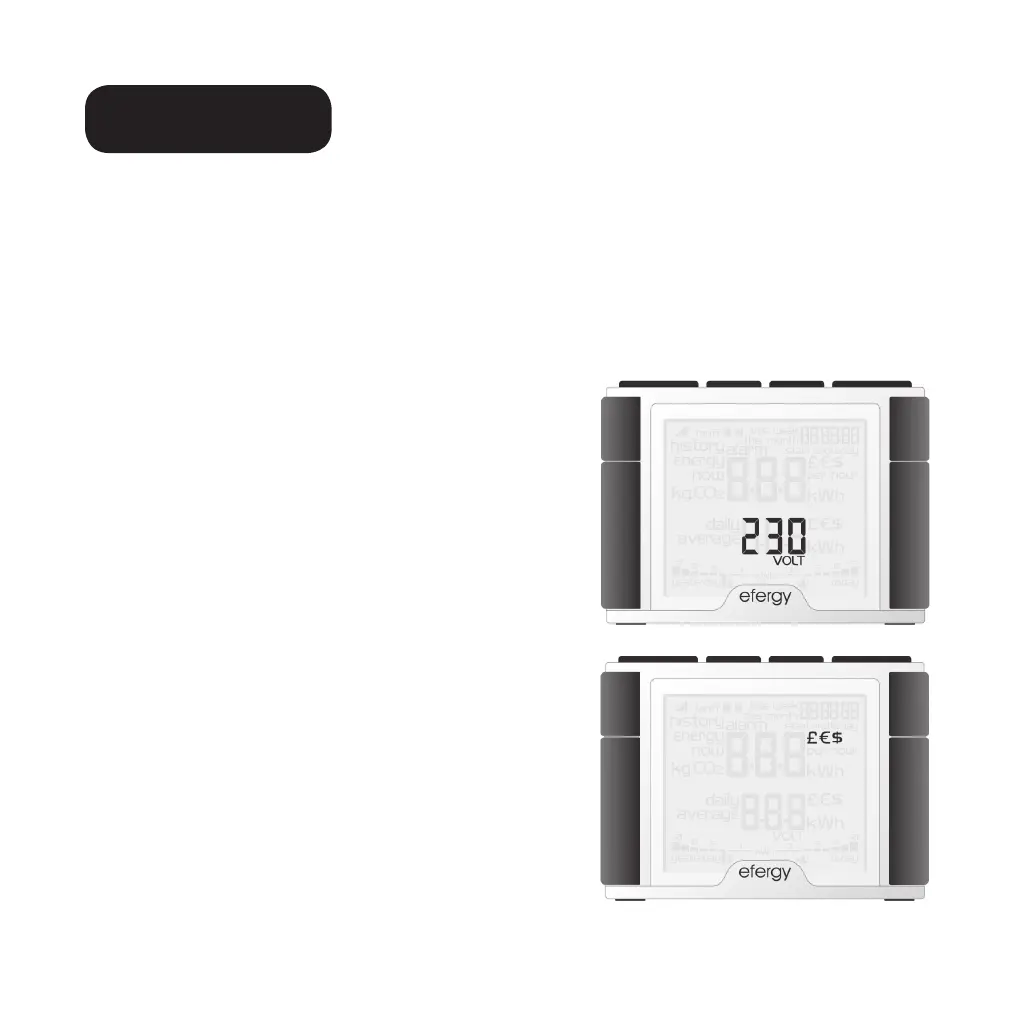
STEP 1. VOLTAGE
Depress [Mode] for two seconds. 230 will flash (230 V is
preset). Adjust the voltage using [Bwd] and [Fwd] if you
have a different mains voltage. Press [Mode] to confirm
and to continue to the currency setting.
STEP 2. CURRENCY
Set the correct currency (
kr, €,or £) using the [Bwd] and
[Fwd] buttons. Press [Mode] to confirm and to continue
to the tariff setting.


 To Next Page