Electronic device DMU2000 - DMU3000 - DMU3000 PLUS
Electronic device DMU2000 - DMU3000 - DMU3000 PLUS
11
Operating instructions
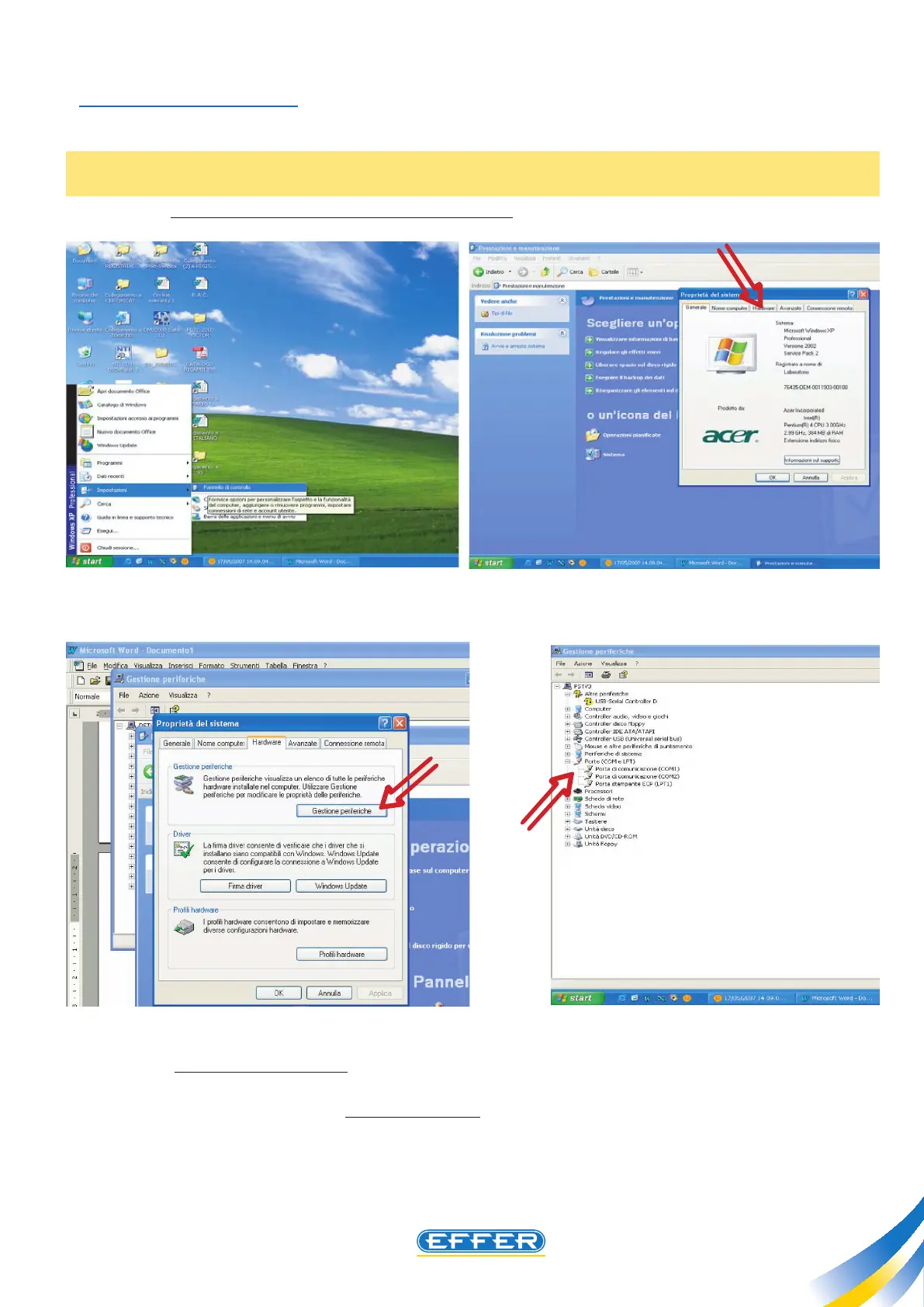
Through the path “Start”, “Settings”, “Control Panel”, you must reach the system properties, led un-
der the icon “system”
N.B.: According to the type of display set on the computer, you may need to go through “Perfor-
mances and Maintenance”.
u In the “Hardware” menu click “Device Manager”.
u Select “COM ports and LPT” that you can nd in the drop-down menu. After you open the sub-
menu the code related to the USB cable connected to the PC appears. After selecting it, click Properties.
In the window that appears select “Set COM ports”.
Our software is designed to use both COM1 and COM2 ports:
u Select without distinction the free port on your personal computer.



 To Next Page