Electronic device DMU2000 - DMU3000 - DMU3000 PLUS
38
Electronic device DMU2000 - DMU3000 - DMU3000 PLUS
14. Overload test
Crane overload test
In order to run dynamic and static crane overload tests, through the sequence of movements indicated
below, you can increase the safety device setting by approximately 30% in a non-permanent way.
This is possible for a number of 10 times within maximum 100 hours of power supply to crane (with
lever operated!!!).
The sequence of movements for the overload test start is the following:
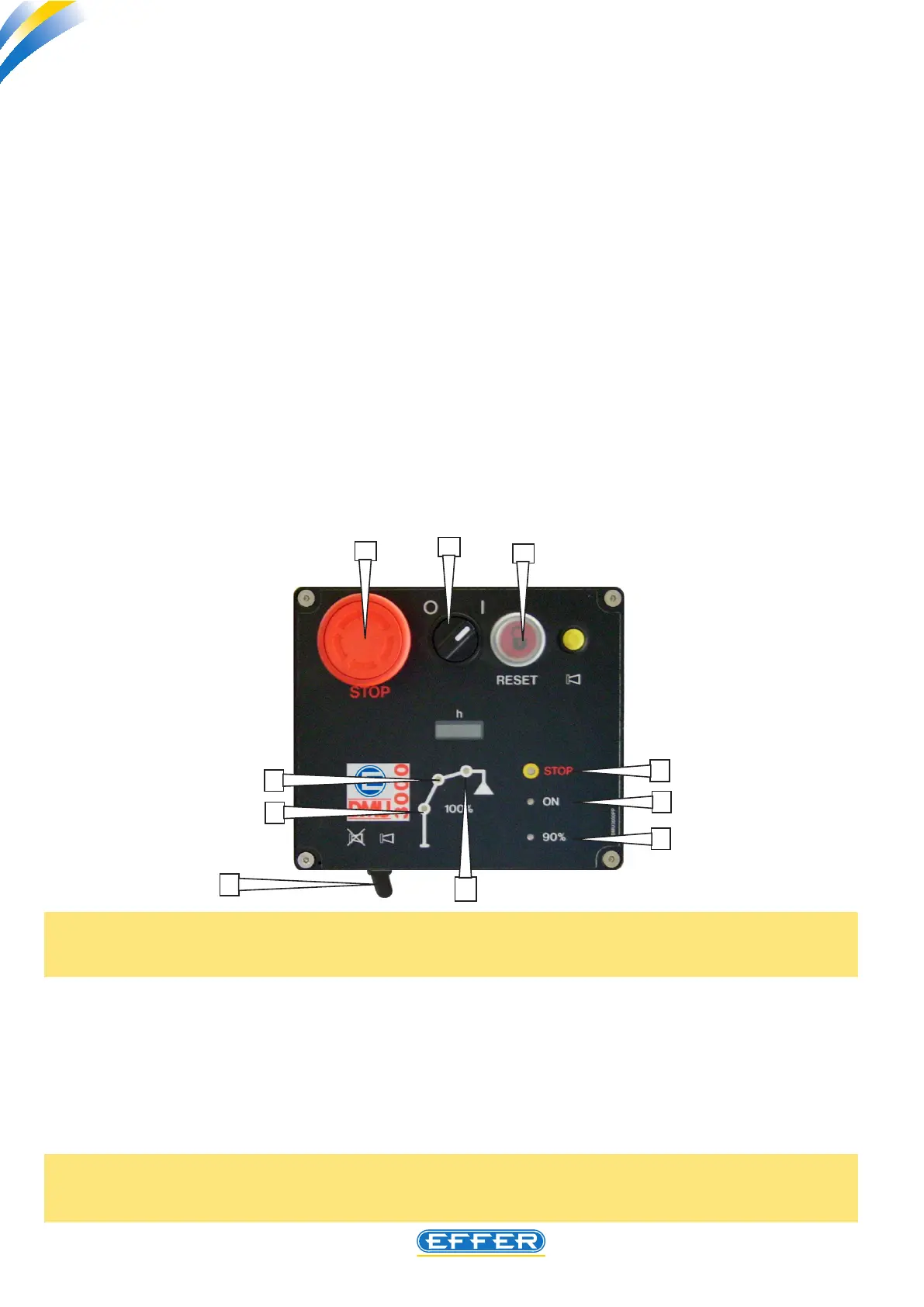
a) with the crane o (the switch “B” in the 0 position), turn the switch “D” related to acoustic alarm dis-
able to the “acoustic alarm on” position.
(b) turn on switch “B” by turning it to I position; now you have a time of 60 seconds available within
which, by holding down the RESET button “4” you have to run a manoeuvre with the rst four levers of
the control bank, except for the lever of the stabilizers (if tted):
- move the lever of rotation in one direction, than in the opposite direction
- continue with the other levers, up to that of basic crane extensions.
- a continuous beep is operated, which cannot be turned o with the switch “D” for the duration
of the tests.
4
5
6
7
1
3
2
B
A
D
Note: The impossibility to turn o the warning horn during the overload test is intended as a safety
measure for the operator and the people present at the tests. It is not allowed to remove the warning
horn electrical connection deliberately.
c) carry out the overload test.
d) turn o main switch “B” or press the STOP emergency button “A” only after having completed the
overload test.
Winch overload test
In case you have to carry out an overload test on a winch, the procedure to disable/enable the safety
device is the same indicated in the previous paragraph.
WARNING! With the device in overload test mode, the winch load limiting device and the rope rise
end-of-stroke are not enabled: you must therefore operate with the utmost caution and in conditions
of safety.



 To Next Page