Electronic device DMU2000 - DMU3000 - DMU3000 PLUS
Electronic device DMU2000 - DMU3000 - DMU3000 PLUS
35
13. Entering new parameters further to a change in crane
configuration/replacement of panel or dmu complete box
with fitting of similar component without data
Every conguration of cranes has its own
setting parameters: in case a change in the
conguration of the crane is made, e.g.: if
the number of extensions is changed, an
additional jib is added, a winch is tted, …
or the device is changed for replacement
you must enter the new setting param-
eters within the DMU tted to the crane.
Note: if any device is eliminated from
crane configuration, contact Sol.Ge. to
update parameters.
a) CHANGING THE DATA TO CHANGE
CRANE CONFIGURATION
In addition to mechanical transformation
Kit it is necessary to have the le (deliv-
ered by Sol.Ge. preferably by e-mail or on
CD).
u Save the le on your computer desk-
top.
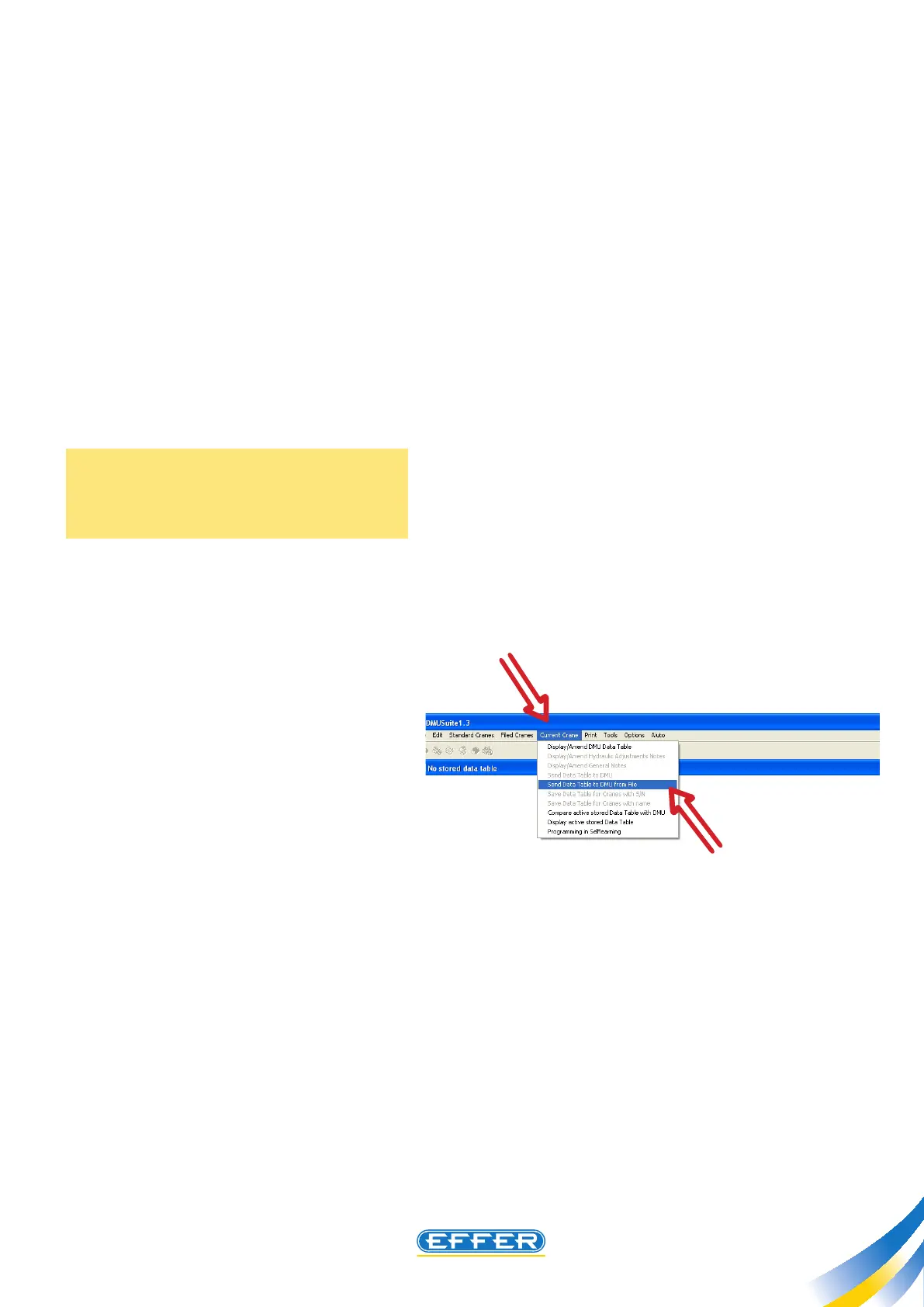
u Open the DMU software:
u Click on the icon “Current Crane”
u Click on the icon “Send Data Sheet



 To Next Page