Electronic device DMU2000 - DMU3000 - DMU3000 PLUS
24
Electronic device DMU2000 - DMU3000 - DMU3000 PLUS
10. Instructions for diagnostics
By connecting the DMU to the computer it is possible to obtain more detailed information on a fault in
the crane, and the operating condition of the device.
It is also possible to print the diagnostic test that you carry out:
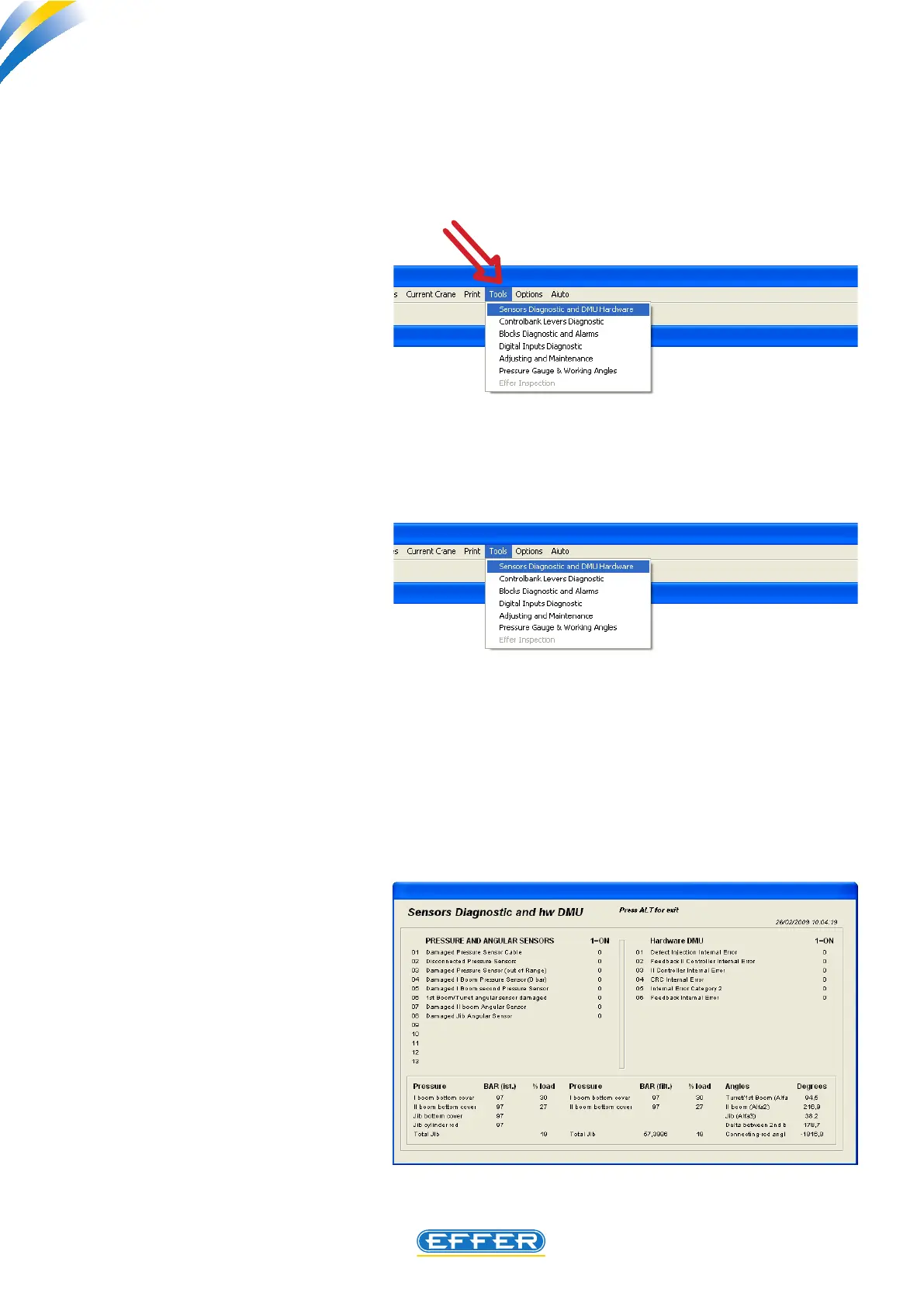
u Click on the icon “Tools”
a) First Menu
Diagnostics of Sensors and DMU hard-
ware
u Click on the icon “Diagnostics of
Sensors and DMU hardware”
u “Diagnostics of Sensors and DMU
hardware” window appears
If the value 0 appears next to the menu,
this means that there are no faults, other-
wise the value 1 appears.
Now you can access to six (6) work menu on which the
executable controls on the condition of connected
DMU are shown.



 To Next Page