Electronic device DMU2000 - DMU3000 - DMU3000 PLUS
16
Electronic device DMU2000 - DMU3000 - DMU3000 PLUS
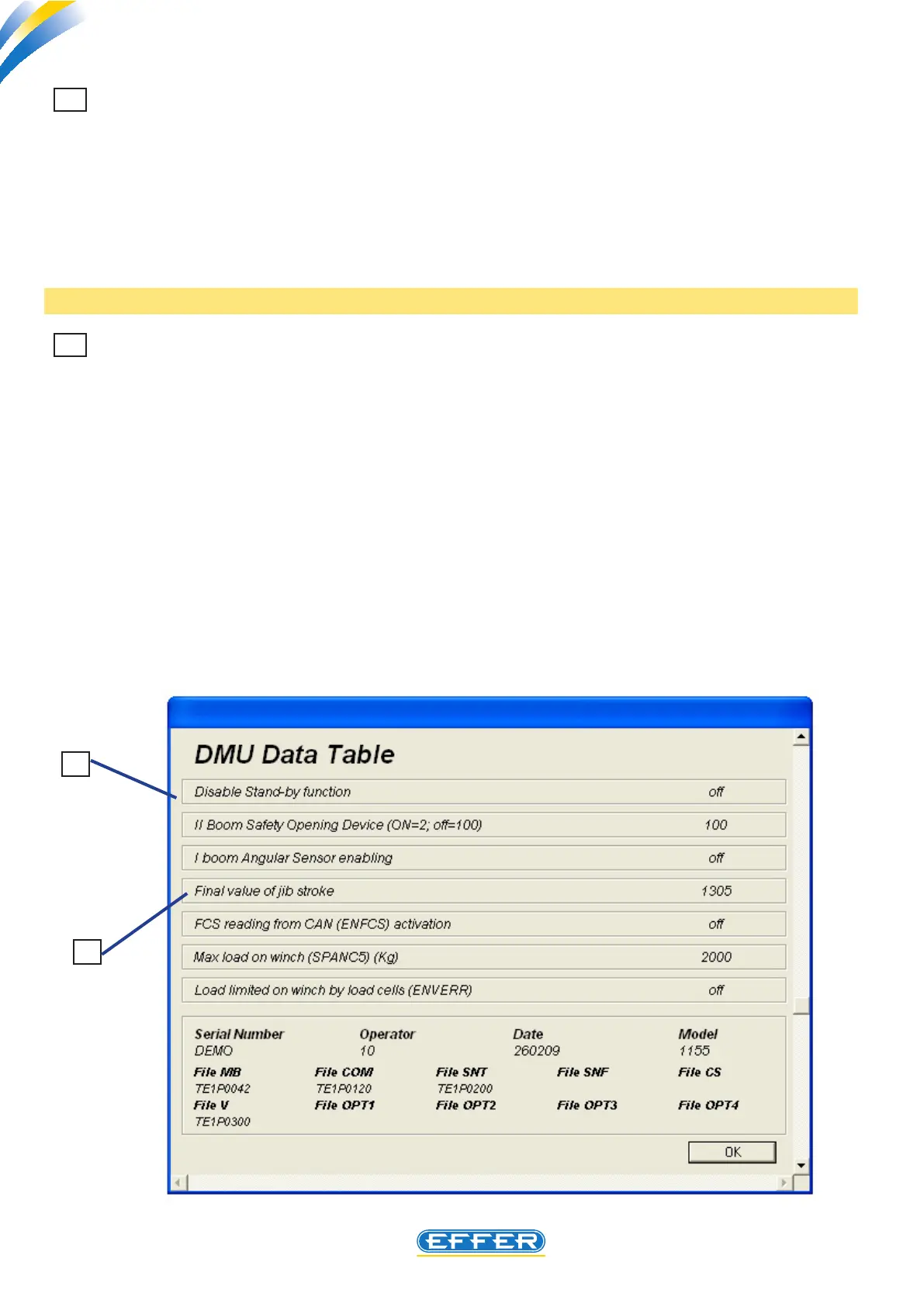
12 Jib stroke final value (Change in end-of-stroke point while additional jib is opening)
A proper setting of electronic angle sensor placed on additional jib makes crane lock not operational
when you run a manoeuvre of maximum opening, after the maximum pressure value inside the jib
cylinder is achieved.
In this case, use the RESET button to retrieve the crane movements. The movement of jib opening
should be discontinued by the angle sensor setting by preventing the jib cylinder from achieving its
maximum extension, even 0. 5 mm. only.
By editing this parameter the electronic end-of-stroke point related to jib opening is moved , thus
avoiding stopping crane operation without reason.
Note: Please see page 33 for further information.
13 Disabling stand-by function
On all the DMUs the stand-by function is turned on: after 30 minutes during which the DMU is elec-
trically operated but no movement with the crane is carried out, the electronic part with the highest
power input automatically switches o, thus limiting the electric consumption by truck batteries. (To
restore full crane operation it is necessary to press the stop emergency button, and after it is released
operate the RESET button). Certain operators may nd this procedure complicated, therefore the ne-
cessity to cancel the stand-by function may arise.
If ON is set in the computer screen, the stand-by function is disabled.
If OFF is set in the computer screen, the stand-by function is enabled.
12
13



 To Next Page