Electronic device DMU2000 - DMU3000 - DMU3000 PLUS
28
Electronic device DMU2000 - DMU3000 - DMU3000 PLUS
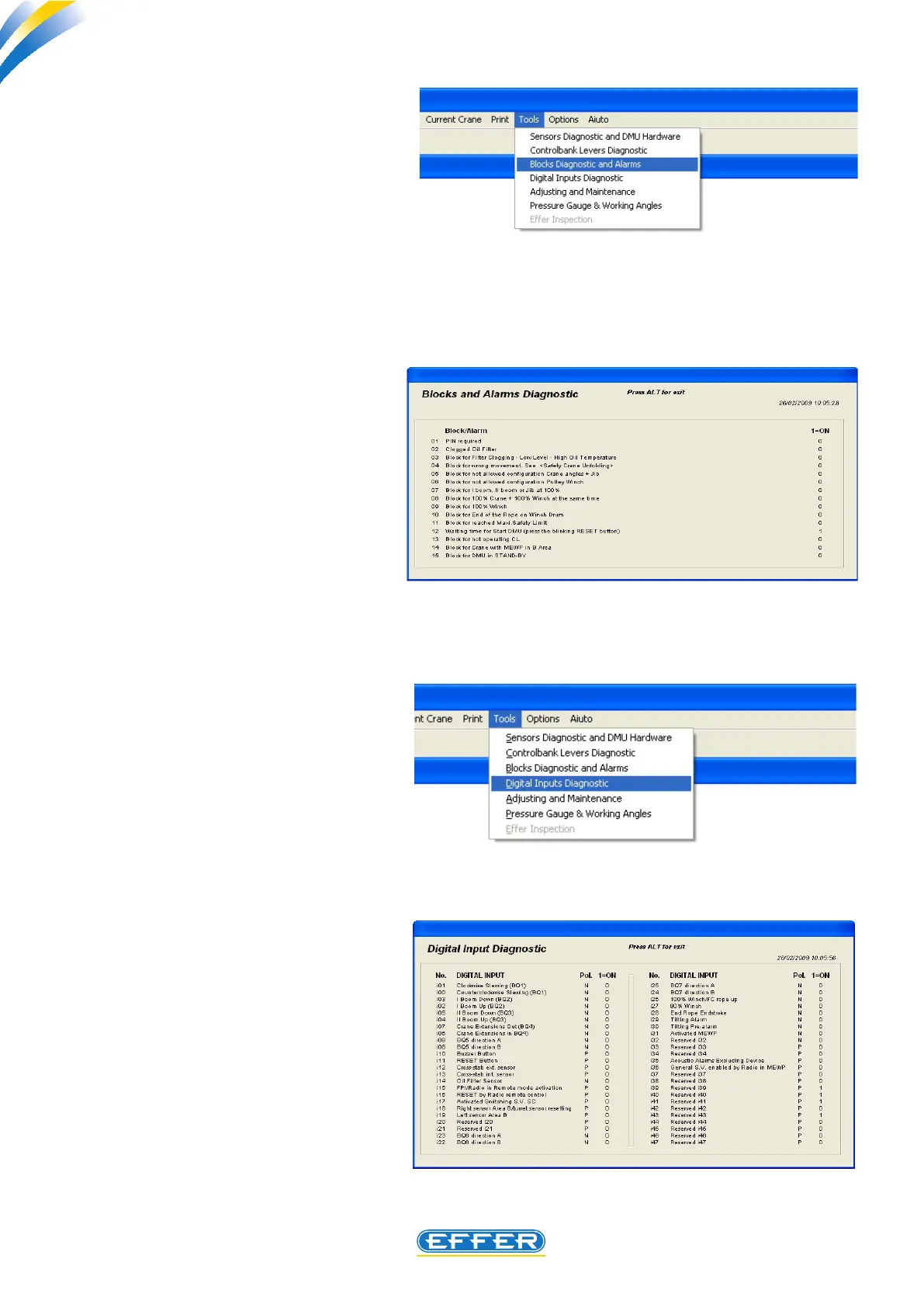
c) Third Menu:
Lockout and alarm diagnostics
u Click on the icon “Lockout and
alarm diagnostics”
“Lockout and alarm diagnostics”
window appears.
The cause that has operated a lockout/
alarm can be seen by the presence of 1
next to the single description. The crane is
fully or partially stopped.
d) Fourth Menu:
Digital input diagnostics
u Click on the icon “Digital input
lever diagnostics”
“Digital input lever diagnostics” window
appears
This is the situation of the digital inputs of
DMU. It is necessary for a LEVEL 2 operator
to identify the cause for possible faults: a
level 1 operator is only asked to know this
work sheet. Sol.Ge. oce can request it to
be sent to provide technical assistance.



 To Next Page