Z Series Assembly Manual
© 2023 EFT Electronic Technology Co. Ltd. All Rights Reserved.
Steps
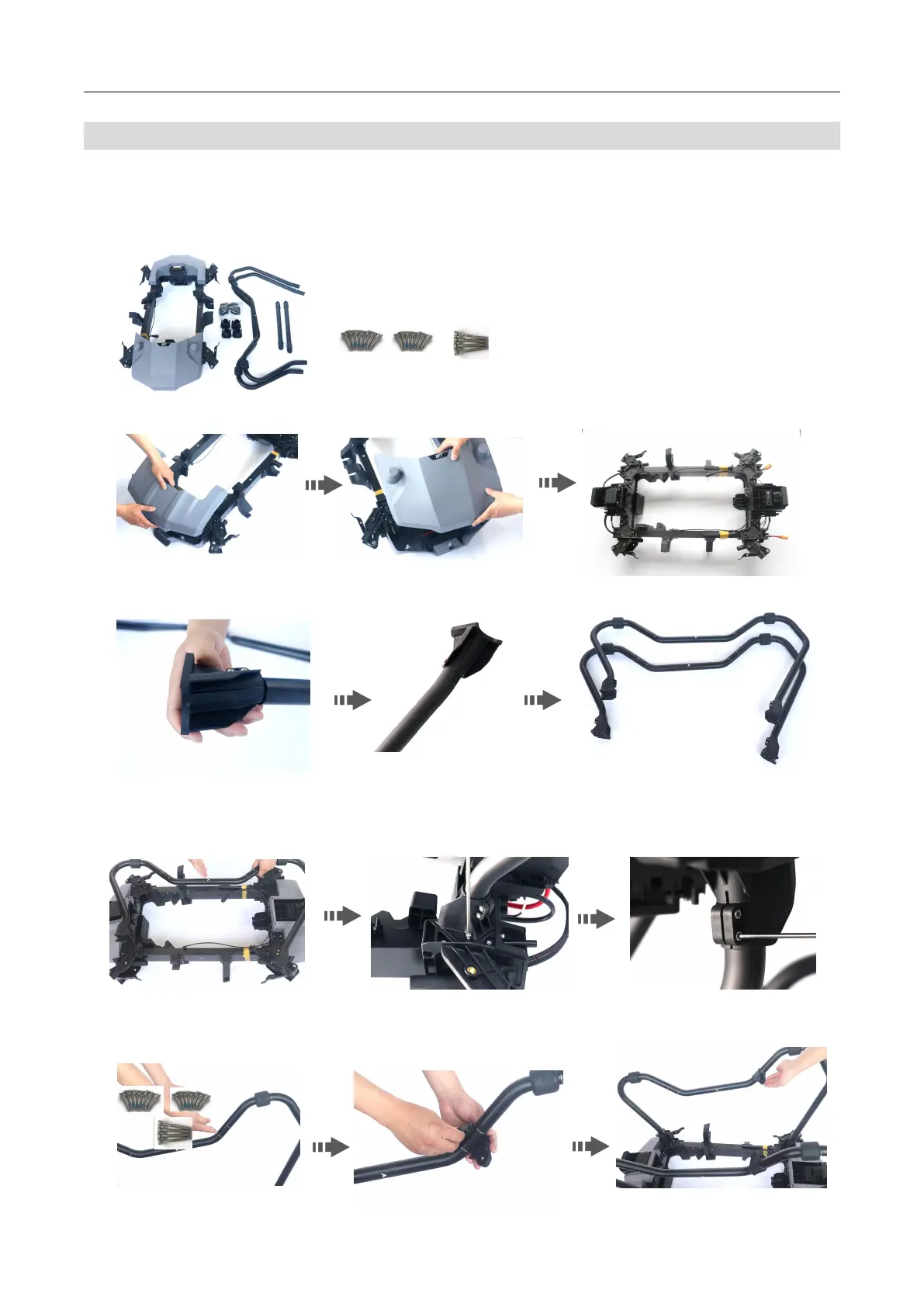
Step 1:Install l anding gear
1. Open the package, take out the drone frames , the landing gear and crossbar components as well as the mountings and screws.
2. Remove the front and rear upper and l ower covers to facilitate the turn over the frame and subsequent assembly.
3. Insert t he mounts into both ends of the bent legs.
4. Turn the frame over, then install the bent legs on the frame, note the arrow to head. Use M4*20 screws to fasten, and then use
M4*12 screws to fix the mounting seat .Do not fasten to facilitate the frame leveling.
5. After installing the landing gear on both sides, install the four tee fixings according to the positioning m arks on the bent legs, and
pay attention to the interface horizontally inward.



 To Next Page