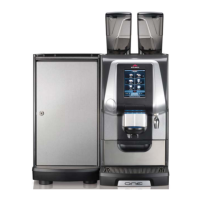
4
Interface utilisateur
Bedienpanel
Interface
22.04.13
14:20
+
–
Esc
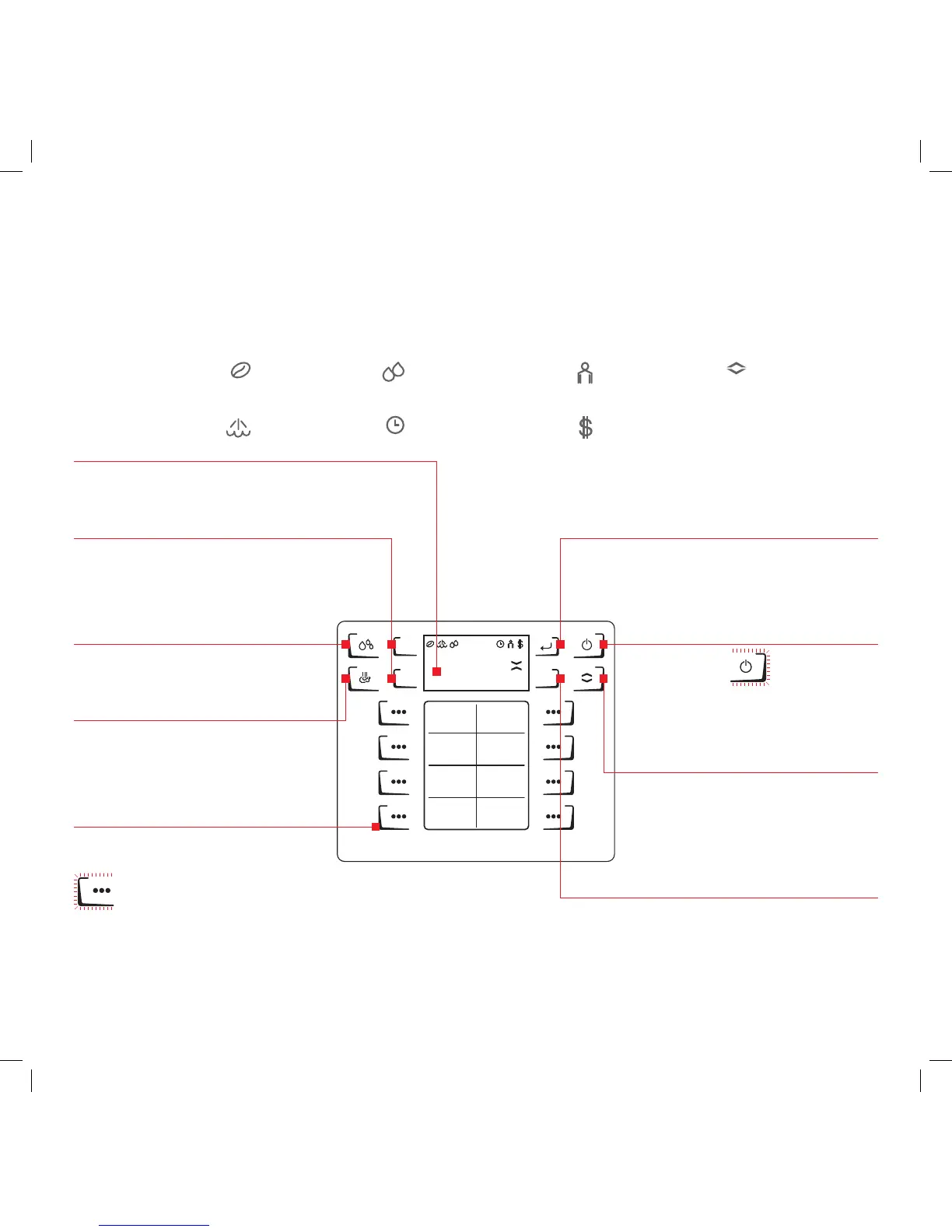
Pour sélectionner l’interface produit
Zum Auswählen der Produktebene
To select product layer
Les symboles clignotent pendant la montée en température
Symbole blinken beim Aufheizen
Symbols flash while heating
*
Les touches ne sont disponibles que pour certaines fonctions et deviennent alors visibles et actives
Tasten sind nur bei bestimmten Funktionen verfügbar und werden dann sicht- und bedienbar
Buttons are only in specific situations available and will then be visible and usable
**
Achage / Informations
Display / Informationen
Display / Information
Touche shift
Shift-Taste
Shift button
Bouton ESC
ESC-Taste
ESC-Button
**
Touche ENTER
ENTER-Taste
ENTER-Button**
*
Chaudière de café
Kaeeboiler
Coee boiler
*
Chaudière de vapeur
Dampfboiler
Steam boiler
Self-service
Selbstbedienung
Self service
Mode de paiement
Zahlungsmodus
Payment mode
Auto marche / arrêt
Auto Ein / Aus
Auto Power
Remplissage chaue vapeur
Dampfboilerbefüllung
Steam boiler filling
Interface produit
sélectionnée
Gewählte Produktebene
Selected product layer
À chaque touche peuvent correspondre 2 produits
Jede Taste kann mit zwei Produkten belegt sein
Each button can have two products
Boutons produit
Produkttasten
Product keys
Débit produit
Produkt im Bezug
Processing product
Bouton Marche / Arrêt
Ein- / Aus-Taste
ON / OFF-Button
Machine en veille
Maschine im Standby
Machine in Stand by
Bouton d’eau chaude
Heisswasser-Taste
Hot water button
Bouton vapeur
Dampf-Taste
Steam button
optionnel
optional
optional
Navigation
Navigation
Navigation**
Réservé au gérant et au technicien
Nur für Manager und Techniker
For manager and technician use only


 To Next Page