9
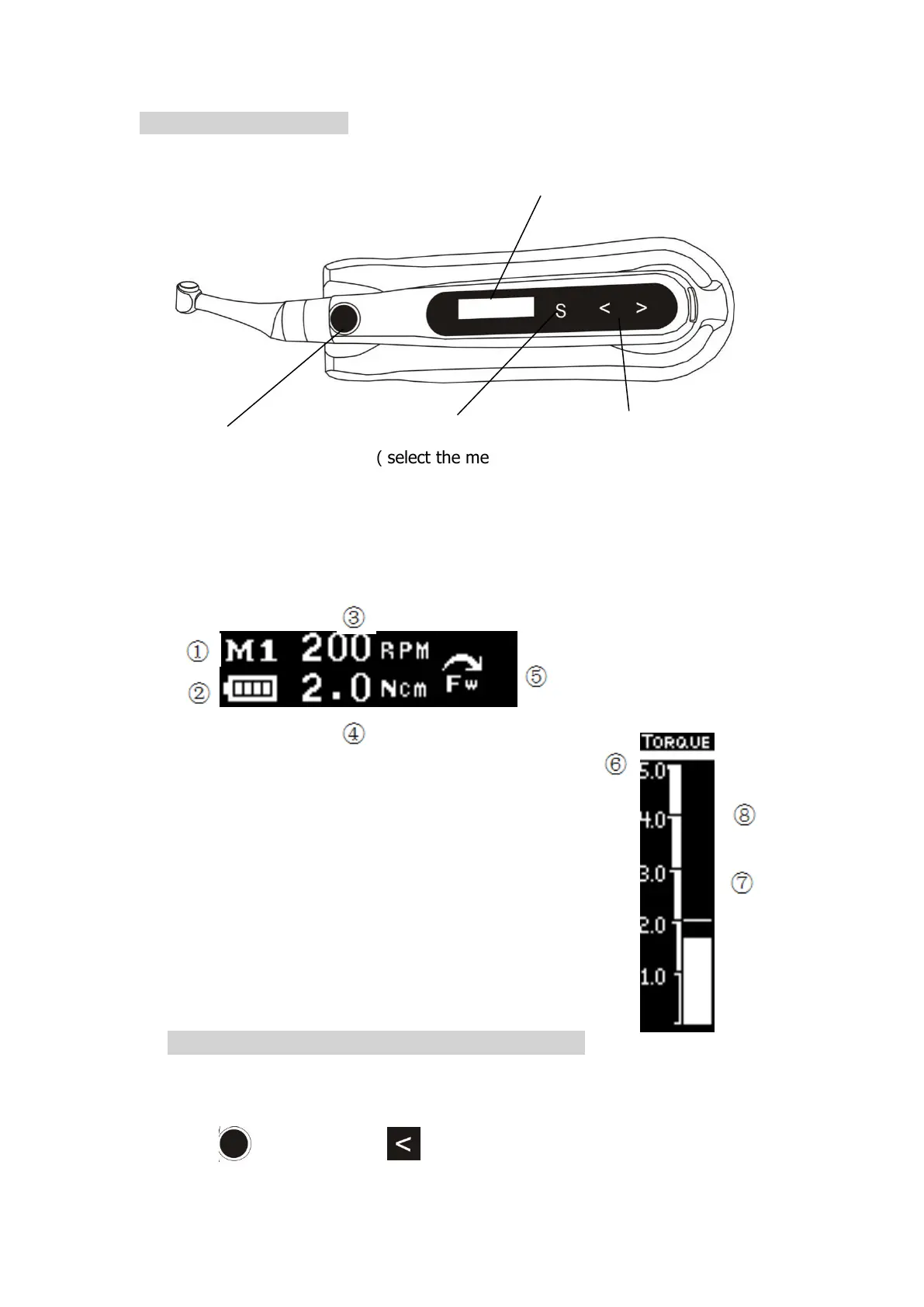
9.2 Keys and interface
① The memory number
② Battery levels
③ Running speed
④ Reverse torque value
⑤ Rotation direction
⑥ Torque scale
⑦ Real time torque display bar
⑧ Reverse torque cursor
1) Start E-CONNE CT:Press the main switch
Start the device and appear the standby interface, after 3 minutes without any
operation, the device will be automatically shut-down.
Press (Main switch) (- key)to power off.















 To Next Page