EasyManua.ls Logo

Eighteeth CuringPen - User Manual

Eighteeth CuringPen
30 pages
Print Icon
To Next Page IconTo Next Page
Loading...
s
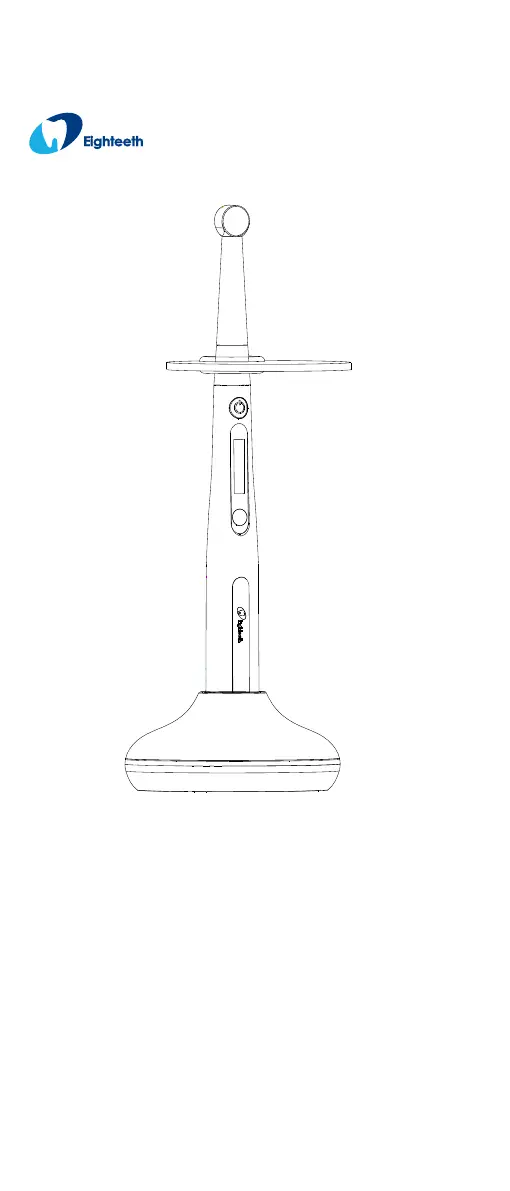
CuringPen
LED Curing Light USER MANUAL
Changzhou Sifary Medical Technology Co.

Questions and Answers

  • J
    Jocelyn PerkinsAug 15, 2025
    What to do if the power LED does not light up when charging Eighteeth CuringPen?
    • S
      Shannon LynchAug 15, 2025
      If the Power LED on your Eighteeth Dental equipment doesn't light up during charging, verify that you are using the original adapter. Also, ensure that the outlet has electricity by checking the connection. Finally, check that the adapter is properly connected to the device.
  • D
    Danielle LambAug 18, 2025
    What to do if the handpiece does not display the charging interface while charging Eighteeth CuringPen?
    • T
      Toni RobinsonAug 18, 2025
      If your Eighteeth Dental equipment handpiece does not display the charging interface while charging, first check that you have placed the handpiece into the charging base in the correct direction. If the issue persists, try connecting the adapter directly to the handpiece and contacting your distributor, as the charging base may be broken. Also, inspect the charge pin of the charging base and remove any debris that may be preventing it from rebounding.
  • M
    Matthew CamachoAug 21, 2025
    Why is there no sound from my Eighteeth CuringPen Dental equipment?
    • L
      Lisa BaileyAug 22, 2025
      If there is no sound from your Eighteeth Dental equipment, the beep volume might be set to off. Try setting the beep volume to low, mid, or high. If that doesn't resolve the issue, contact your distributor, as the handpiece may be broken.
  • M
    Morgan AndersonAug 26, 2025
    How to fix insufficient light intensity in Eighteeth Dental equipment?
    • L
      Lisa AndersonAug 26, 2025
      If your Eighteeth Dental equipment has insufficient light intensity, it could be due to resin or other contaminants on the surface of the lamp lens. Clean the lamp head residue to resolve this issue.
  • K
    Kathleen KimAug 28, 2025
    What to do if Eighteeth CuringPen Dental equipment has no output?
    • A
      andersonsamuelAug 28, 2025
      If your Eighteeth Dental equipment has no output, contact your distributor, as the handpiece may be broken.
  • T
    theresa89Aug 31, 2025
    Why is there no sound on my Eighteeth Dental equipment?
    • C
      campbellannaAug 31, 2025
      If your Eighteeth Dental equipment has no sound, check the beep volume setting. If the beep volume is set to off, set it to low, mid, or high.
  • W
    Willie PhillipsSep 4, 2025
    What to do if the power LED doesn't light up when charging Eighteeth Dental equipment?
    • K
      Kenneth Sullivan DDSSep 4, 2025
      If the Power LED on your Eighteeth Dental equipment doesn't light up when charging, consider the following: * **Adapter:** Ensure you are using the original adapter. * **Outlet:** Verify that the outlet has electricity by checking the connection. * **Connection:** Make sure the adapter is properly connected.
  • T
    Theresa NormanSep 7, 2025
    Why doesn't the handpiece display the charging interface on my Eighteeth Dental equipment?
    • O
      Olivia AyersSep 7, 2025
      If the handpiece of your Eighteeth Dental equipment isn't displaying the charging interface, consider these potential causes: * **Direction:** Ensure the handpiece is placed correctly in the charge base. * **Charge Pin:** Remove any debris that may be obstructing the movement of the charge pin.
  • K
    Kenneth WilliamsSep 12, 2025
    How to improve light intensity on Eighteeth Dental equipment?
    • M
      Michelle PadillaSep 12, 2025
      If your Eighteeth Dental equipment has insufficient light intensity, clean any resin or contaminants from the surface of the lamp lens.

Summary

Scope of CuringPen

Parts Identification

Identifies all components of the CuringPen device for user reference.

Components and accessories

Lists and describes the standard components and accessories included with the CuringPen.

Optional accessories

Details optional accessories available for purchase to enhance CuringPen functionality.

Symbols Used

Before Use

Scope of application

Defines the intended uses and environments for the CuringPen device.

Contraindications

Lists conditions or situations where the CuringPen should not be used.

Setting up the CuringPen

Install the light source head

Instructions for attaching the light source head to the handpiece securely.

Install the disposable sleeve

Instructions for correctly fitting the disposable sleeve onto the handpiece.

Install the protective light shield

Instructions for attaching the protective light shield to the light source head.

Charging

Details the procedure for charging the CuringPen's battery using the provided charger.

Use Interface

Panel key

Explains the function of each button on the CuringPen's control panel.

Setting

Selecting memory

Details how to choose and customize the different memory programs available.

Advanced setting

Covers advanced configuration options like auto-off time and volume settings.

Operation

Charge

Explains how to monitor battery level and charge the device correctly.

Handpiece operation

Details the steps for using the handpiece during dental procedures.

Operation mode

Describes the different operational modes like Standard, Ramp, and Pulse.

Maintenance

Error Warning

Troubleshooting

Technical Data

EMC Tables

Statement

Service Life

Specifies the expected service life of the CuringPen products.

Disposal

Provides guidelines for the proper disposal of the CuringPen and its components.

Rights

Outlines the manufacturer's rights regarding product modifications and intellectual property.

Eighteeth CuringPen Specifications

General IconGeneral
TypeCordless LED curing light
Charging Time2 hours
Working Time60 minutes
Weight120 g
Light SourceLED
ModesPulse
Light Output1200mW/cm²

Related product manuals