Błąd! Użyj karty Narzędzia główne, aby
zastosować 标题 1 do tekstu, który ma się tutaj pojawić. Błąd!
Użyj karty Narzędzia główne, aby zastosować 标题 1 do tekstu,
który ma się tutaj pojawić.
Page 11 / 30
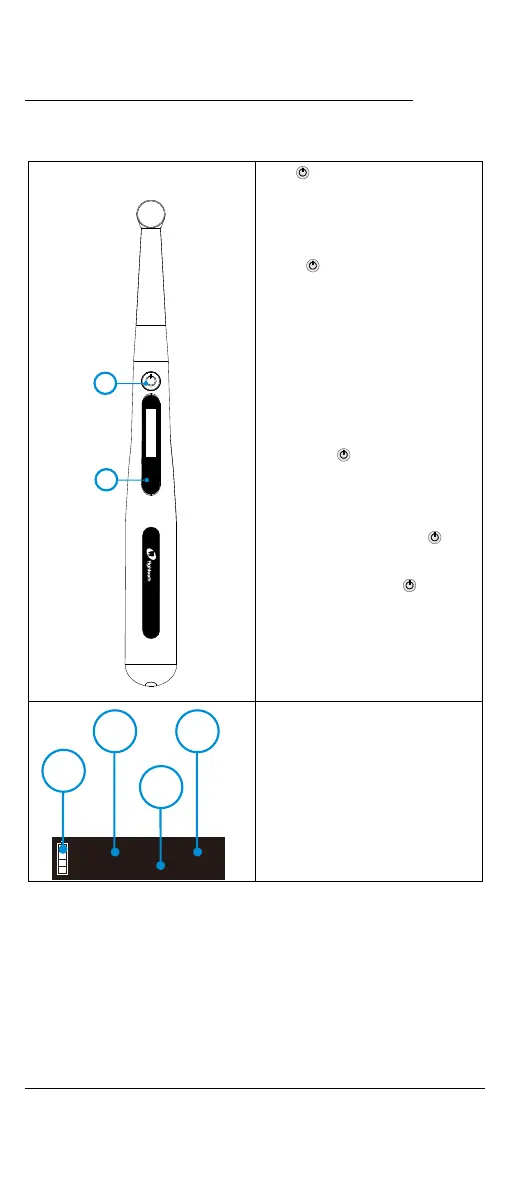
5.Use Interface
5.1 Panel key
○
,1 main switch
○
,2“S” Setting key
Turn Power On
Press more than 0.5 seconds
to turn on the instrument
Memory Change
Press setting key during standby
state
Turn Power Off
Long press to turn power off.
Advanced setting
During power off state, holding
down press .“S” then press to
entry advanced setting, Press “S”
till target setting, press to
adjust, then press “S”to confirm















 To Next Page