EasyManua.ls Logo

Eighteeth Fast-Pack pro - User Manual

Eighteeth Fast-Pack pro
31 pages
Print Icon
To Next Page IconTo Next Page
Loading...
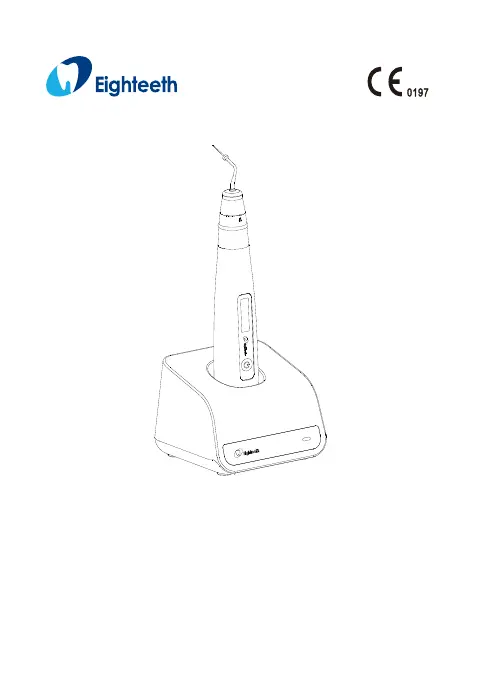
Fast-Pack pro
USER MANUAL

Questions and Answers

  • S
    Suzanne VasquezAug 7, 2025
    What to do if there is no charge indicator flash on Eighteeth Dental equipment handpiece screen?
    • J
      Jordan LucasAug 7, 2025
      If there is no charge indicator flashing on the handpiece screen of your Eighteeth Dental equipment, consider the following possible causes: 1. The handpiece may be placed in the charge base incorrectly. Double-check the direction. 2. The charge pin of the charge base might be stuck. Remove any debris that may be preventing it from rebounding. 3. The contactors might be dirty. Clean the surface of the contactors. 4. The charge base may be broken. Connect the adapter to the handpiece directly and contact your distributor.
  • C
    Charles WalkerAug 14, 2025
    Why the power LED on Eighteeth Dental equipment charge base does not light?
    • R
      Robert MoralesAug 14, 2025
      If the power LED on the charge base of your Eighteeth Dental equipment isn't lighting up, here are a few potential reasons and solutions: * You might be using the wrong adapter. Ensure you are using the original adapter. * The adapter might not be properly connected. Check the connection to ensure it is secure. * The adapter's plug might not be fully inserted into the outlet. Verify the connection. * There might not be electricity in the outlet. Check the outlet to ensure it's working.
  • R
    robinsonmarissaAug 22, 2025
    Why is there no sound from my Eighteeth Dental equipment?
    • P
      Patrick ReillyAug 22, 2025
      If there is no sound coming from your Eighteeth Dental equipment, the beep volume may be set to 0. To resolve this, set the beep volume to 1 or 2.
  • J
    Jordan KingAug 29, 2025
    What to do if Eighteeth Fast-Pack pro handpiece screen does not appear?
    • W
      William FergusonAug 29, 2025
      If the handpiece screen on your Eighteeth Dental equipment does not appear, the handpiece may be broken. Check if there is a beep sound and contact your distributor.

Summary

Scope of Fast-Pack pro

Parts Identification

Identifies all the main components of the Fast-Pack pro device, including the handpiece, base, and adapter.

Components and Accessories

Lists the included parts and optional accessories for the Fast-Pack pro, detailing quantities and types.

Options (sold separately)

Details additional items available for separate purchase, such as the handpiece base.

Symbols used in the User Manual

Before Use

Intended Use

Specifies the intended applications, target users, and environments for the Fast-Pack pro device.

Contraindications and Warnings

Outlines critical conditions, patient factors, and environmental situations where the device must not be used.

Installing the Fast-Pack pro

Installation of Heating Needle

Provides step-by-step instructions for correctly attaching and detaching the heating needle to the handpiece.

Installation of Adapter

Guides the user on how to properly connect the power adapter to the device or its accessories.

Connecting Charge Base

Details the procedure for connecting the Fast-Pack pro to its charging base for power replenishment.

Use Interface

Interface Overview and Controls

Explains the device's display screen, power switch, main switch, and operational control functions.

Setting

Memory Parameter Setting

Guides users on how to set and save custom memory parameters for temperature and heating time.

Advanced Setting

Describes how to access and configure advanced device settings like auto power off and beep volume.

Operation

Charging the Device

Provides instructions for charging the Fast-Pack pro battery, including charging indicators and methods.

Heating Process

Details the procedure for using the heating function, including temperature control and safety precautions.

Maintenance

Foreword and Recommendations

Offers general advice on hygiene, safety, and basic care for the Fast-Pack pro device.

Autoclavable Components

Outlines procedures for cleaning, disinfecting, and sterilizing the reusable components of the device.

Disinfection Components

Provides specific instructions for disinfecting the handpiece, charge base, and adapter with Ethanol.

Troubleshooting

Technical Data

EMC Tables

Statement

Eighteeth Fast-Pack pro Specifications

General IconGeneral
BrandEighteeth
ModelFast-Pack pro
CategoryDental equipment
LanguageEnglish

Related product manuals