6 Setting
13 / 31
6.Setting
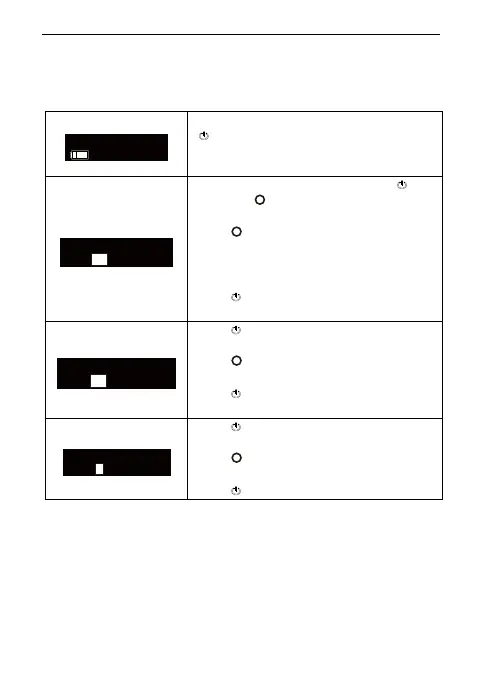
6.1 Memory Parameter Setting
Fast-Pack pro has 5 memory programs, press
to change during standby state, the memory
number T1 will change accordingly.
During any memory, holding down press
then press
for 2 seconds, the “Temperature”
of this memory can be changed.
Press
till target temperature, the
temperature can be set to 90
, 120
, 140
,
150
, 160
, 180
, 200
, 220
, 250
and
300
.
Press
to confirm.
Press again, the “Keep-heat Time” of this
memory can be changed.
Press
till target time, the time can be set to
3, 5, 8 and 10 seconds.
Press
to confirm.
Press again, the “CoolingDisplay” of this
memory can be changed.
Press
till target time, the time can be set to
0, 3, 5 and 10 seconds.















 To Next Page