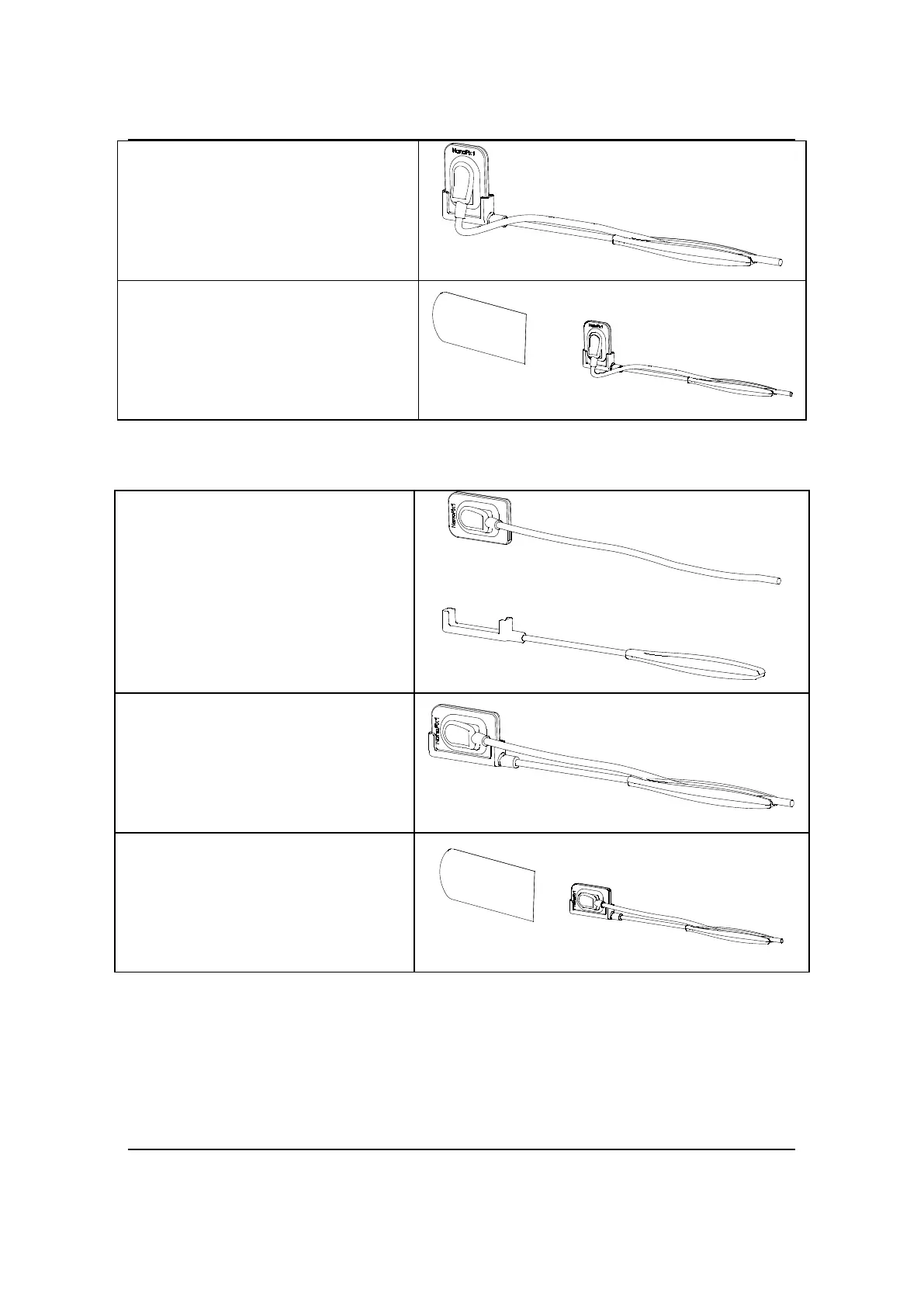
4. Product Installing
Page 20 / 66
2. Insert the long side of the
sensor into the handheld bracket
A in the vertical direction and fix
the wire.
3. Use a Disposable Sleeve to
cover the sensor and handheld
bracket A and then place it in the
mouth for imaging.
The use of handheld bracket B:
1. Prepare the sensor and the
handheld bracket B.
2. Insert the short side of the
sensor into the handheld bracket
B in the vertical direction and fix
the wire.
3. Use a Disposable Sleeve to
cover the sensor and handheld
bracket B and then place it in the
mouth for imaging.



 To Next Page