6 Operating Instructions
Page 44 / 66
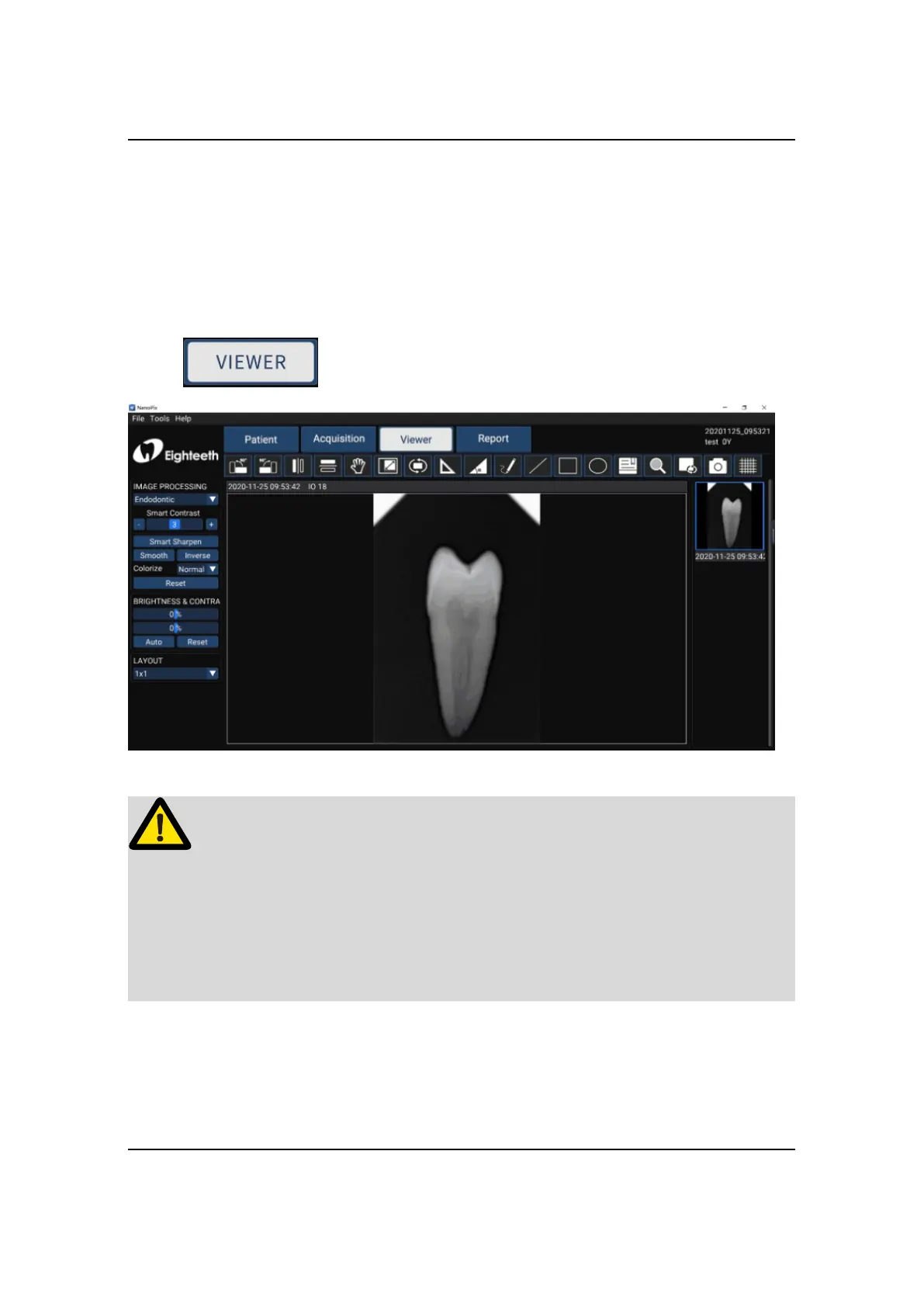
6.3 Image Quality Optimization
The image quality optimization currently supported by NanoPix includes
IMAGE PROCESSING(Endodontic, Periodontic, Restorative),Smart Sharpen,
Smooth, Inverse, Colorize, Reset, BRIGHTNESS&CONTRA(Manual, Auto,
Reset). The user can optimize the acquired X-ray image in the
VIEW interface.
Please read the following warning carefully before using:
Besides the optimization of the software, the image quality is also related to the
Dose / Exposure time. The user can manually adjust the corresponding parameters
according to experience or reference manual.
6.4 Report Generation
1. Obtain oral X-ray image data according to Section 6.1 or Section 6.2, and save
the X-ray image to the database.



 To Next Page