10
Update single picture to ePaper display
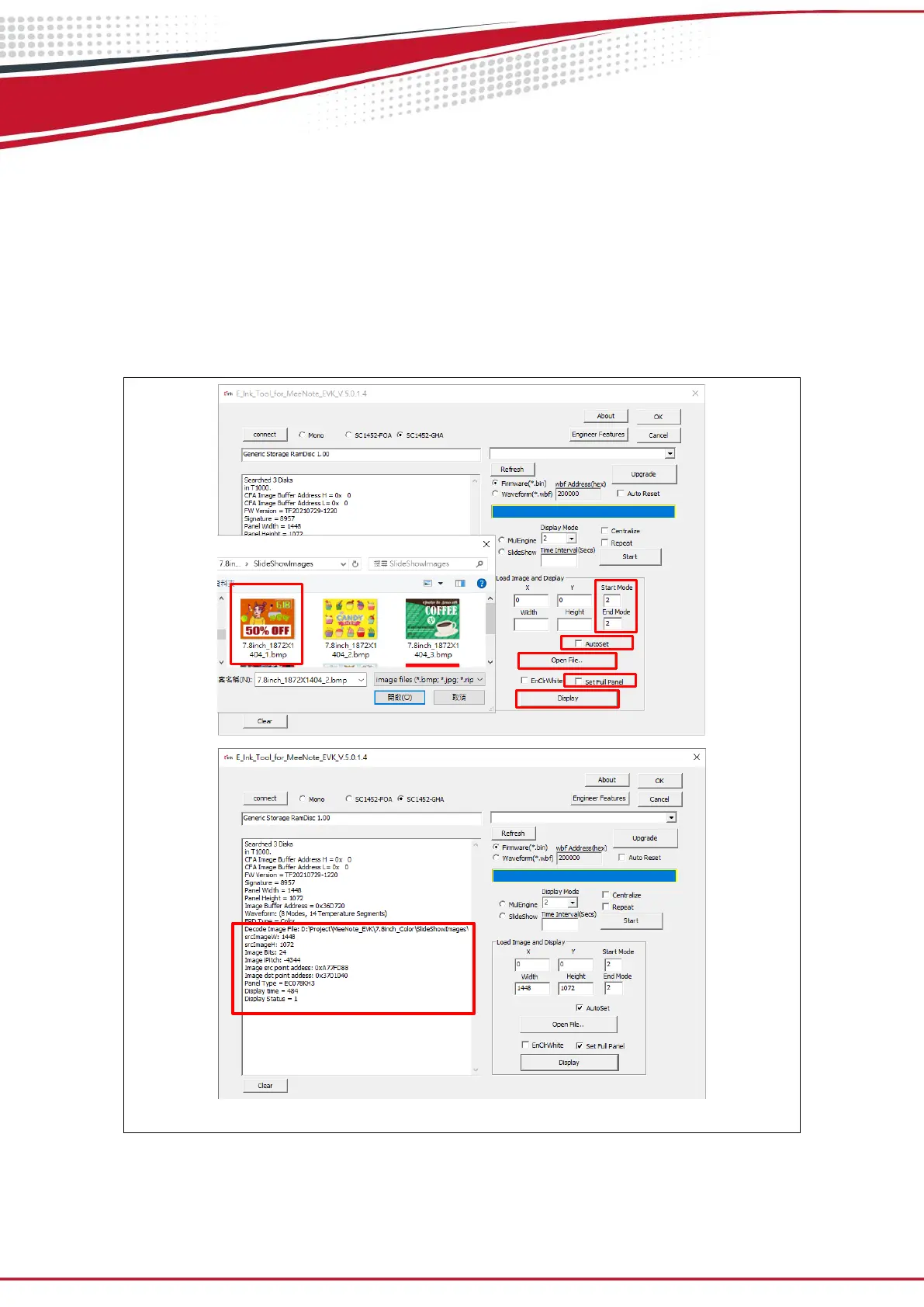
Execute E_Ink_Tool_for_MeeNote_EVK_V5.0.1.4.exe and select SC1452-FOA or
SC1452-GHA (refer to Figure 3.2)
Enable “ AutoSet” and “Set full Panel” (step 1&2)
Click “Open File..” to choose a picture (step 3&4)
Set “Start mode” and “End mode” to 3 (step 5)
Click “Display” button to show the selected picture on Kaleido plus color ePaper
display (step 6)
Figure 3.2 Update single picture to Kaleido plus color ePaper display


 To Next Page