E
23
2 SCREEN ADJUSTMENT
2-3. Shortcut Keys
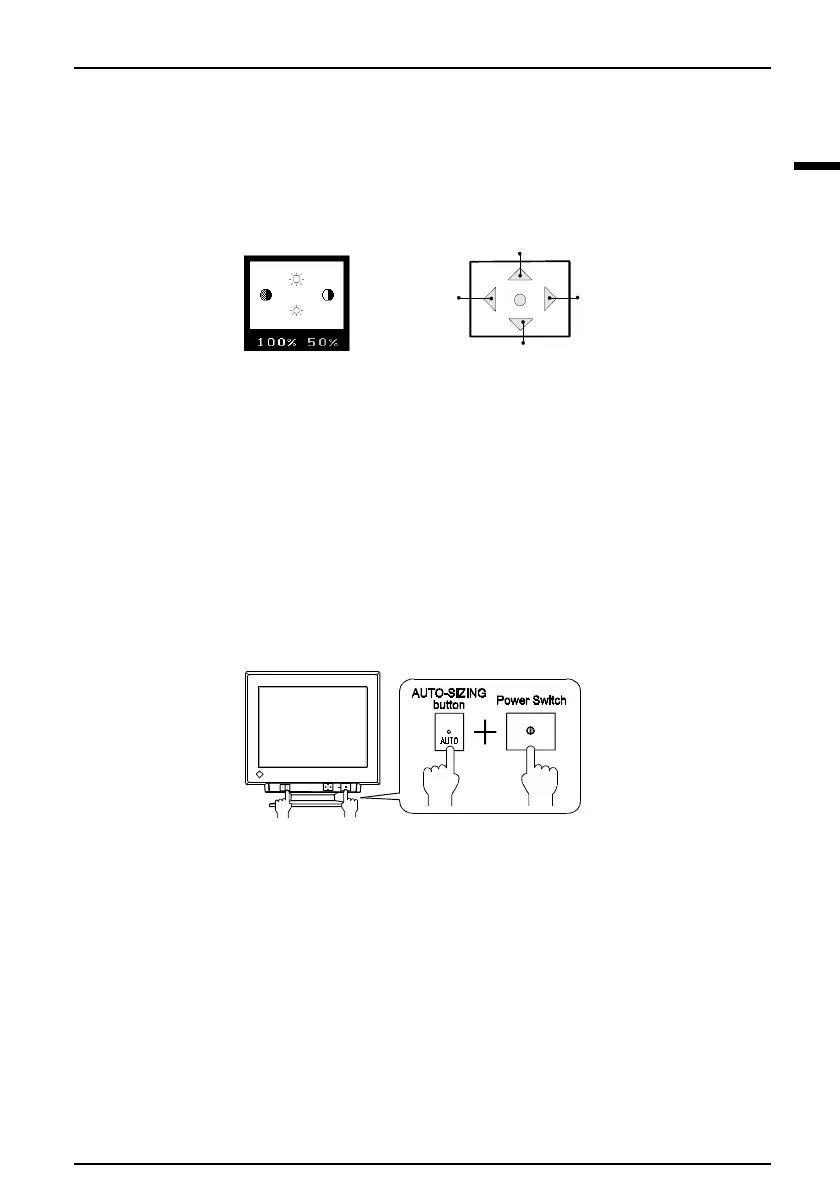
Before entering the ScreenManager, brightness and contrast can be adjusted directly by
moving the Control pad. To record the new setting and exit the ScreenManager, press
the Enter key. (The brightness and contrast functions are also available in the
ScreenManager “contrast/brightness” menu.)
2-4. Adjustment Lock
The ScreenManager operation can be disabled by holding down the up arrow key on
the control pad while switching on the monitor’s power. This will disable (“lock”) the
ScreenManager, protecting from accidental changes. To unlock the buttons: switch the
power off, then hold down the up arrow key on the control pad once again and turn
the power back on.
Note that brightness and contrast can be adjusted using the shortcut keys even while
the Control pad is locked. After making such an adjustment, push the ENTER key to
clear the brightness/contrast adjustment menu from the screen.
Brightness Up
Brightness Down
Contrast
Down
Contrast
Up












 To Next Page