9
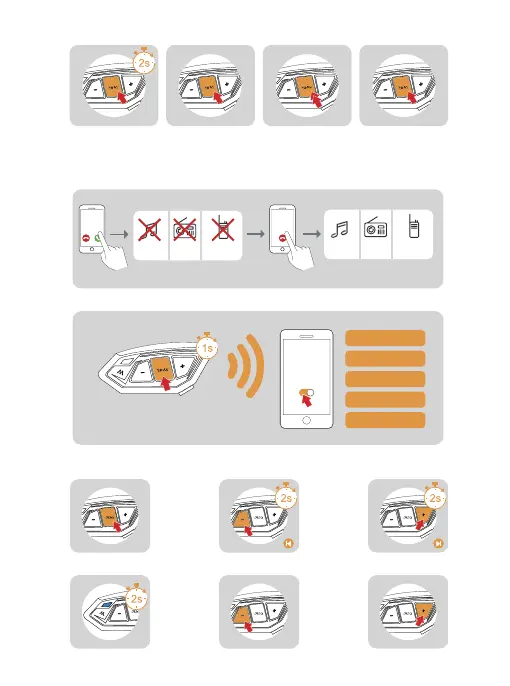
Call Rejection
Phone Priority
When a call come,press
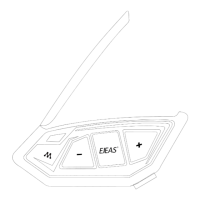
the <Phone/Power Button>
for about 2s
During a call ,click on
the <Phone/Power
Button>
When a call comes in, it will interrupt Bluetooth music, FM
radio, intercom, and resume after hanging up.
Voice Assistant
Music Control
When in standby/playing music, press and hold <Phone/Power Button>,
it depends on your mobile phone.
Play/Pause Previous Song Next Song
Music Playing Volume - Volume +
Incoming Calls Interruptions End Resume
Music Intercom Music IntercomFM FM
When standby/playing
music,quickly double-
click the <Phone/Power
Button>.
During redial,click on
<Phone/Power Button>
Hang Up Call Redial Cancel Redial
Voice
Assistant
“Open Music”
“Previous Song”
“Next Song”
“Call EJEAS”
“Open Navigation”
Press and hold <Phone/Power Button> to wake
up voice assistant.


 To Next Page