11
Music Share
Share the music played by Bluetooth on your phone to another device, and this function
cannot be used during Bluetooth intercom.
This function cannot be used when two phones are connected simultaneously.
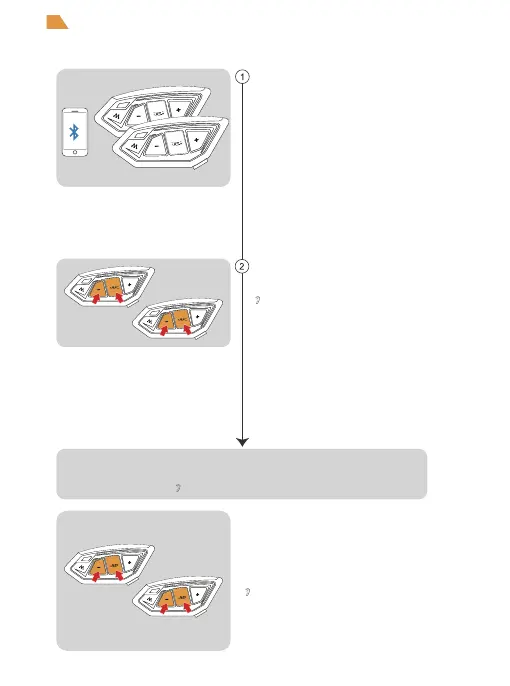
Press the <Phone/Power Button>+<Volume -> at the same
time between the host and slave to enter the music sharing
search connection state.
Take an intercom as the host, connect it to the phone,
and the other one is the slave.
“Music Share”
Press the <Phone/Power Button>+<Volume ->
again to exit music sharing.
“Music Share Disconnected”
After the connection is successful, play the phone music of the host,
and the music can also be played from the speaker.
“Music Share Connected”


 To Next Page