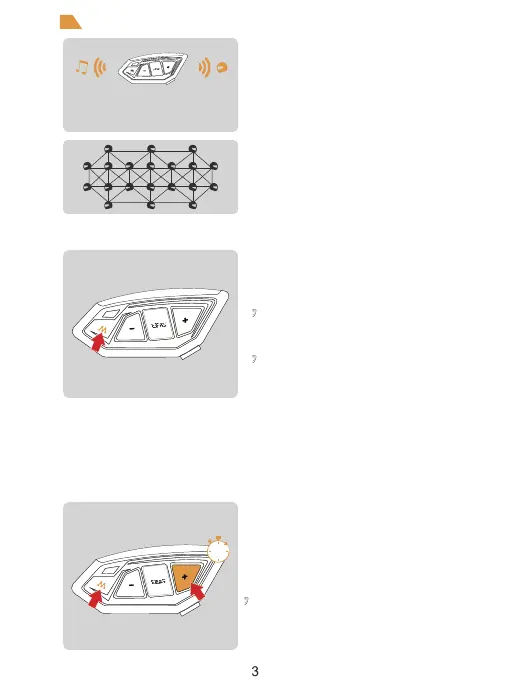
When using Mesh Intercom, you can mute the
microphone with a short press of the < M Button >,
so that the sound of your own voice will not be sent
to others.
Press <M Button> to unmute.
When using Mesh intercom, the system will enter a sleep mode when there is no speech detected.
Speaking will immediately activate the system and start the intercom. Users can adjust the voice
activation sensitivity to suit their own voice and avoid false activations or the need for excessively loud
sounds to activate the system.
There are 5 levels of sensitivity settings, default level 3. Level 5 has the highest sensitivity
and is the easiest to activate the system, level 1 has the lowest sensitivity.
After turning on Mesh intercom, press and hold the<M
Button>+<
Volume +>to cycle through sensitivity.
1->5->1 cycle switching.
“Microphone Mute”
“Microphone unmute”
“{VOX n}(n is 1~5, indicating 5 levels)”
Mesh Intercom
Features: Intercom with up to 20 people, 5 channels in
total. Voice can be relayed and teams have a maximum
communication distance of about 2 kilometers. If
participating in campaign mode as a listener, there is no
limit to the number of people who can join the intercom
in a listen-only manner.
Microphone Mute
VOX Voice Sensitivity
When entering the Mesh network, Bluetooth music can be
played at the same time .When someone speaks, it will
automatically switch to Mesh intercom, no one speaks after
a period of time will automatically playback the music.
1s
Mesh intercom is a multi-hop technology mesh network
intercom (Communication frequency 470-488MHz). On
account of large number of participants and unrestricted
location, people are able to move at will within the effective
range. It is not only superior to the traditional Bluetooth
chain intercom, but has a longer transmission distance and
better anti-interference ability.


 To Next Page