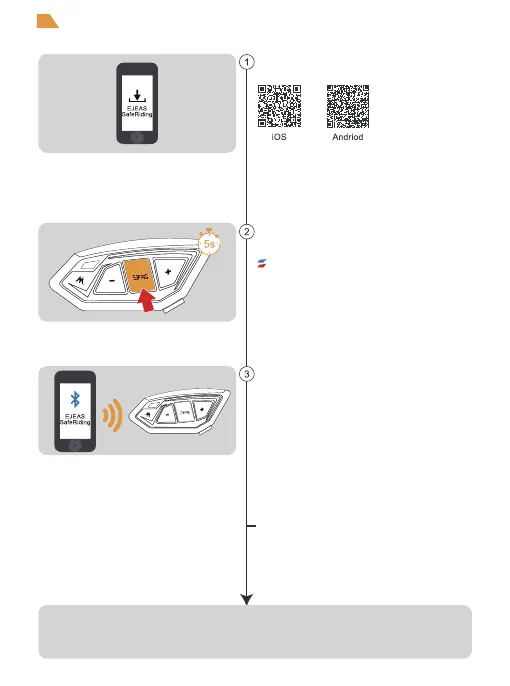
First time users download and install
EJEAS SafeRiding Mobile App.
Press and hold (approx. 5s) <phone/on button>
until the red and blue lights flash alternately to
enter phone pairing.
Open the APP, click on the Bluetooth icon in the top
right corner, the interface shows the name of the
intercom device searched, select the intercom
device to be connected, click to connect.
(IOS system need to enter the phone pairing again,
in the system settings->Bluetooth, connect audio
Bluetooth)
The next time you use the app, open it, click on the
Bluetooth icon in the top right corner and click to
select Intercom for connection from the paired
devices.
APP provides intercom group, music control, FM control, switch
off, check authenticity and other functions.
Red light and blue light flashing alternately
15
Mobile App


 To Previous Page