Reset: The unit will auto power off while charigng, then power on, it supports
charging and using simultaneously.
Product Operation
Operation Diagram
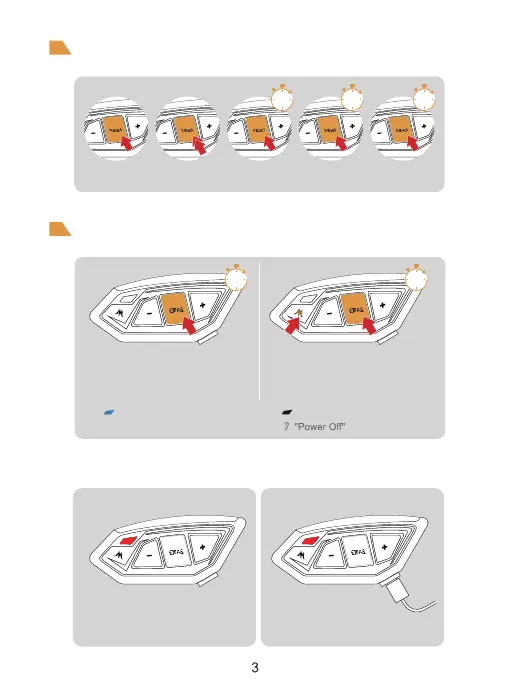
Power ON/OFF
Low Battery Indication Charging Indication
The red light flashes twice.
And a voice prompt "Low Battery".
The red light is always on when
using USB charging.
ON
Long press for 1 seconds<Phone/Power
Button>.Until the blue light flashes with a voice
prompt.After switching on, it is in standby mode
and the blue light flashes slowly.
Long press for 1 seconds<Phone/Power
Button> + <Intercom Button>.
Until you hear the voice prompt "Power Off".
Slow flashing blue light Indicator light off
Please charge it before using
Basic Operation
Click Double-click Long-press Long press
for 3 seconds
Long press
for 5 seconds
1s
1s
3s 5s
OFF
1s



 To Next Page