4
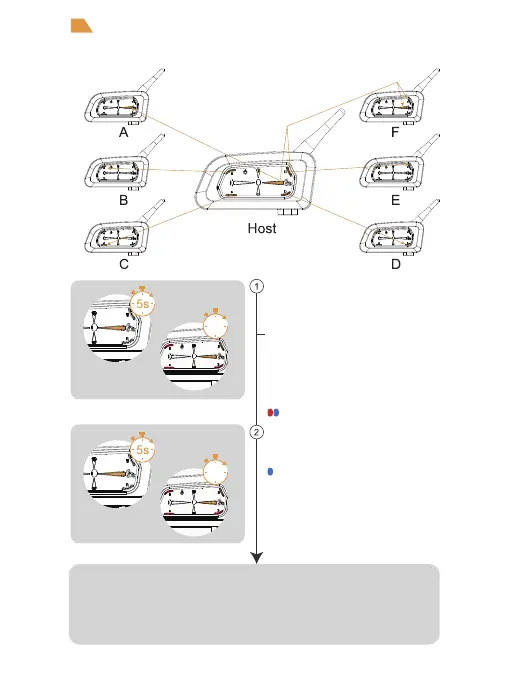
After switching on, press and hold (approx. 5
seconds) <A Button> until the red and blue
lights alternately flash.Wait to connect to
another intercom;
or long press (about 3s) <A Button>/<B Button
>/<C Button >/<D Button>/<E Button>/<A
Button+E Button> (Intercom F) until the red and
blue lights flash alternately and wait for the
connection to another intercom.
The other V7 enters the pairing state using
the same operation step, then two V7 would pair
with each other.
Wait a few more moments and you will hear the "Di,Di,Di" tone.
At this point you can talk to each other and hear each other's voices.
Red and blue lights alternatly flash
Intercom function
Intercom pairing
Blue light flashing fast
3s
3s


 To Next Page