52
PLAYING MUSIC
You can listen to music by using the Music app.
1. Press the HOME button on the remote control.
2. Run the Music app.
3. Select your desired storage device.
You can select your desired songs from all of your storage devices and
add them to My Playlist.
4. Select your desired music content and enjoy it.
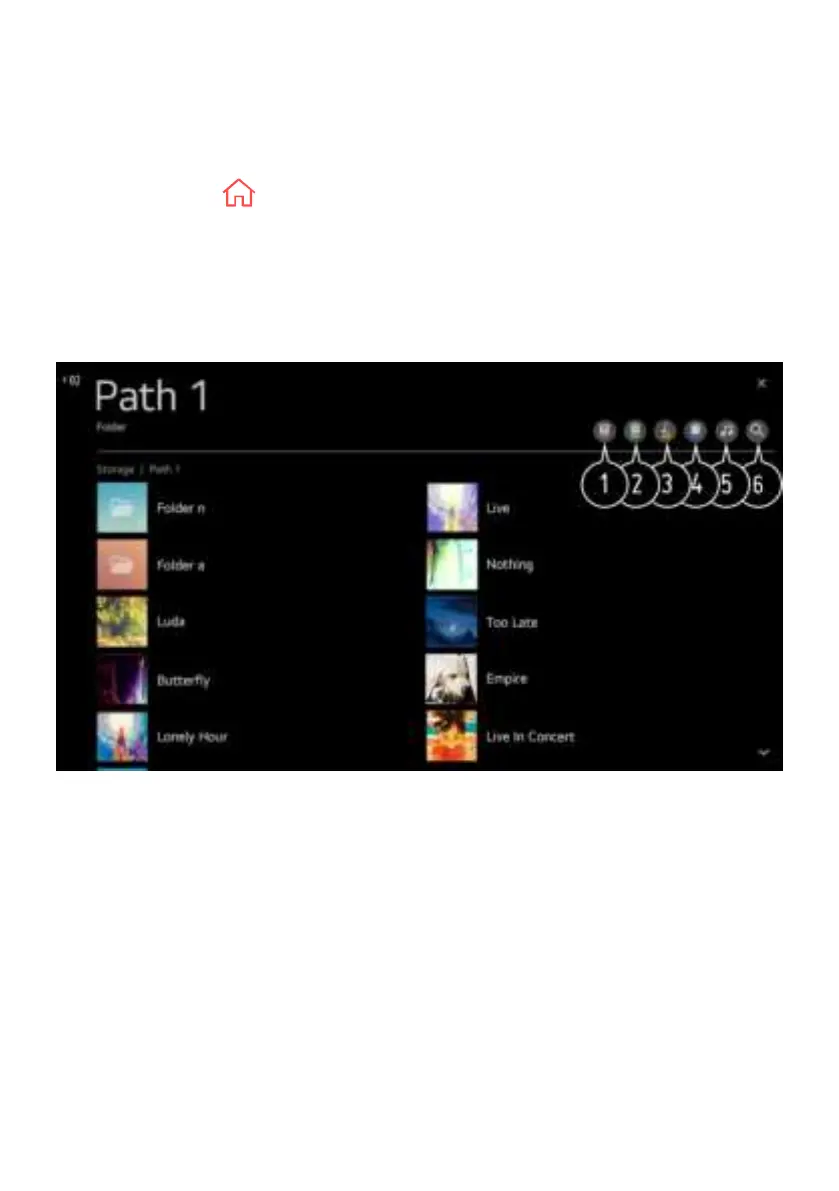
1. Select the desired type of content list.
2. Select and delete the desired content.
- You cannot delete files that are shared from other devices.
3. Select content and add it to My Playlist.
4. You can copy content to a USB storage device.
- Some models may not be supported.
5. Open the music player.
6. Launch Search
CONNECT EXTERNAL DEVICES (Cont.)


 To Next Page