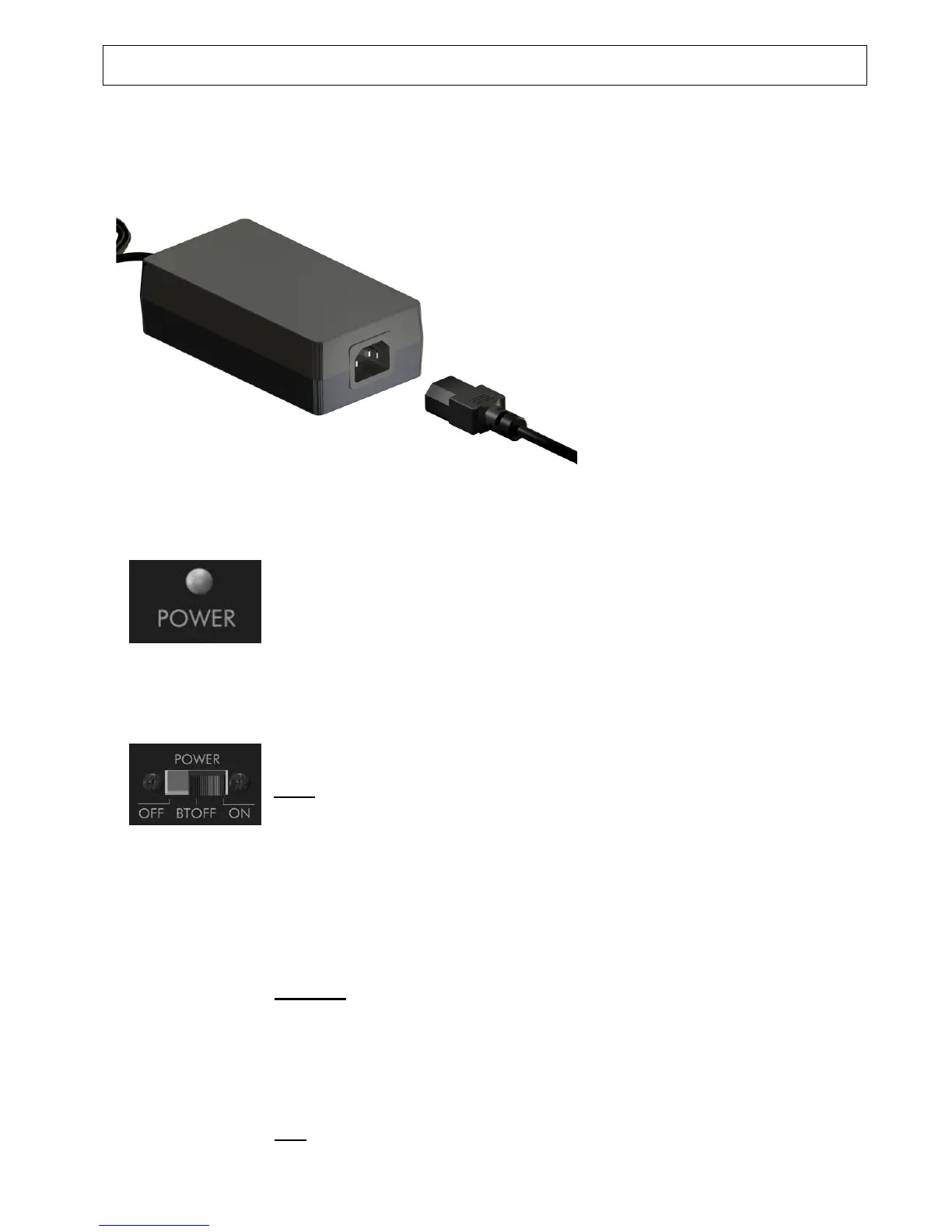
Following this connection please
mount rubber connector to the
other side of power supply.
Caution:
The other end of the mains cable
should be connected last – after
all other installations – to the
mains socket.
5 LED for Operating state
The POWER “ON”-state is indicated by blue colour.
6 POWER mode selector
The selector has 3 positions:
OFF: The ELAC complete active subwoofer is switched off.
Please note that the selector only switches off the amplifiers and
speakers.
The power supply unit is in the stand-by mode and still uses some energy
(<2 W).
In order to reduce the consumption to zero, you have to disconnect
the power supply completely from the mains (by de-plugging the
mains or using a power bar with its own circuit breaker)
BT OFF: The ELAC complete active subwoofer is switched on, but the
Bluetooth receiver is off. This mode is recommended when you just do
not use a Bluetooth® source and like to avoid an automatic connection of
an audio source to the ELAC Subwoofer (i.e. your or another mobile
phone).
More on Bluetooth® wireless technique see pt.11 of this chapter.
ON:
The ELAC complete active subwoofer is switched on. The reception
from a Bluetooth® source is possible in this mode.


 To Next Page