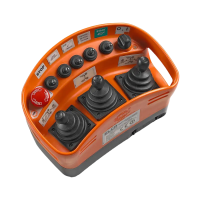
8.3 SPECIAL FUNCTIONS IN DRILLING MODE (WORK) WITH CHARGER
DRILLING MODE (WORK) WITH CHARGER
- Activation of Charger mode:
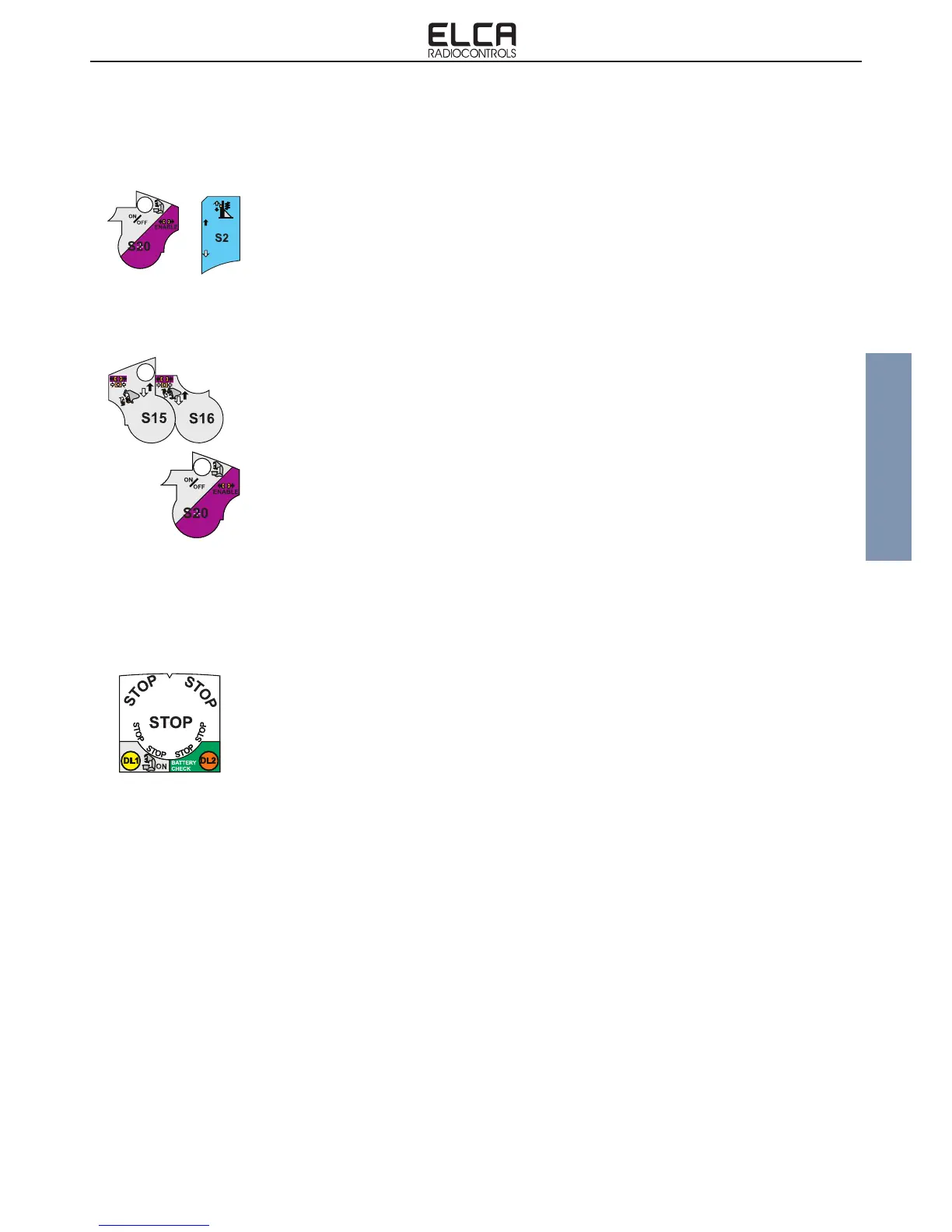
The selector S20 pushed upwards activates the Charger mode. To activate this mode, the
Drilling mode must be on (Work) and selector S2 in the central position.
All functions on a Grey background can be activated in this mode; the GAS+/- (S3), S1 and
S8 commands are never active at the same time as any other charger command.
Display: the DL1 LED ashes slowly Yellow while DL2 ashes Green.
- Charger mode deactivation:
An impulse on selector S20 or the activation of selector S2.
Display: LED DL1 switches off.
CHARGER FUNCTIONS WITH SAFETY ENABLED
Selectors S15 and S16 open the clamp (selector pushed upwards) protected by safety enable
command.
- Clamp opening enabling activation:
To enable the opening of the clamp, keep S20 activated on Enable (selector pushed down).
The clamp close command does not require the enable command.
8.4 SPECIAL SAFETY AND MANAGEMENT FUNCTIONS
DISPLAY OF THE BATTERY CONDITION
The charge condition of the battery is displayed by LED DL2.
During normal use, when the keyswitch selector is brought into position 1, if the system does
not encounter abnormal conditions, the Battery Check LED starts rapidly blinking green. When
the Start command is pressed, the LED starts blinking slowly, to indicate that the system is
working.
With the keyswitch in position 1, the system runs checks on the status of the Transmitter and,
if it detects abnormal conditions, the following error statuses are displayed:
- Red Battery Check LED on for 2 seconds. The transmitting unit is not working properly or the
procedure for the acquisition of the identication code has not been activated.
- Red Battery Check LED on for 1 second. The Stop pushbutton has been detected as being
on or not working.
- Red Battery Check LED ashes 2 times. an ON/OFF command has been detected as being
on.
- Red Battery Check LED ashes 3 times. the battery has been detected as being low.
- Red Battery Check LED ashes 4 times. a joystick has been detected as out of position zero.
Note. A sound signal is emitted when the red LED goes on.
During normal operation of the radio remote control, the red LED starts blinking when the
battery is low and approximately only 10 minutes of run time are left.


 To Next Page