37 / EN
User Menu
Zone 1
Scenario Free Sunday
Start 00:00
20°
,0
End 04:30
20,0° 22,0° 21,0° 23,0°
0 2 4 6 8 10 12 16 20 14 18 22 24
Fig. 28
– Turn the selector
to change the temperature of the
corresponding time slot. You can select the set-point
temperature by choosing between two values: com-
fort or reduced.
– Press the selector
to confirm.
Zone 1
Scenario Free Sunday
Start 00:00
20°
,0
End 04:30
20,0° 22,0° 21,0° 23,0°
0 2 4 6 8 10 12 16 20 14 18 22 24
Fig. 29
– Turn the selector
to change the “End” time.
– Press the selector
to confirm.
Up to 4 daily comfort time slots can be selected.
To return to one of the previous items, press the “Back” button .
Press the selector to go to the next page.
Adding a time slot
Zone 1
Scenario Free Sunday
Add period
Continue
20,0° 22,0° 21,0° 23,0°
0 2 4 6 8 10 12 16 20 14 18 22 24
Fig. 30
In this page you can add a slot to the daily time schedule.
“Add period” can be used to return to the page where you
can define the desired time slot. “Continue” can be used to
select the days of the week in which to copy the defined daily
schedule.
To return to one of the previous items, press the “Back” button
.
Select “Continue” and press the selector to go to the next
page.
Copying the days of the week
Do you want to copy this programming to other days
of the week ?
M T W T F S S
Continue
20,0° 22,0° 21,0° 23,0°
0 2 4 6 8 10 12 16 20 14 18 22 24
Fig. 31
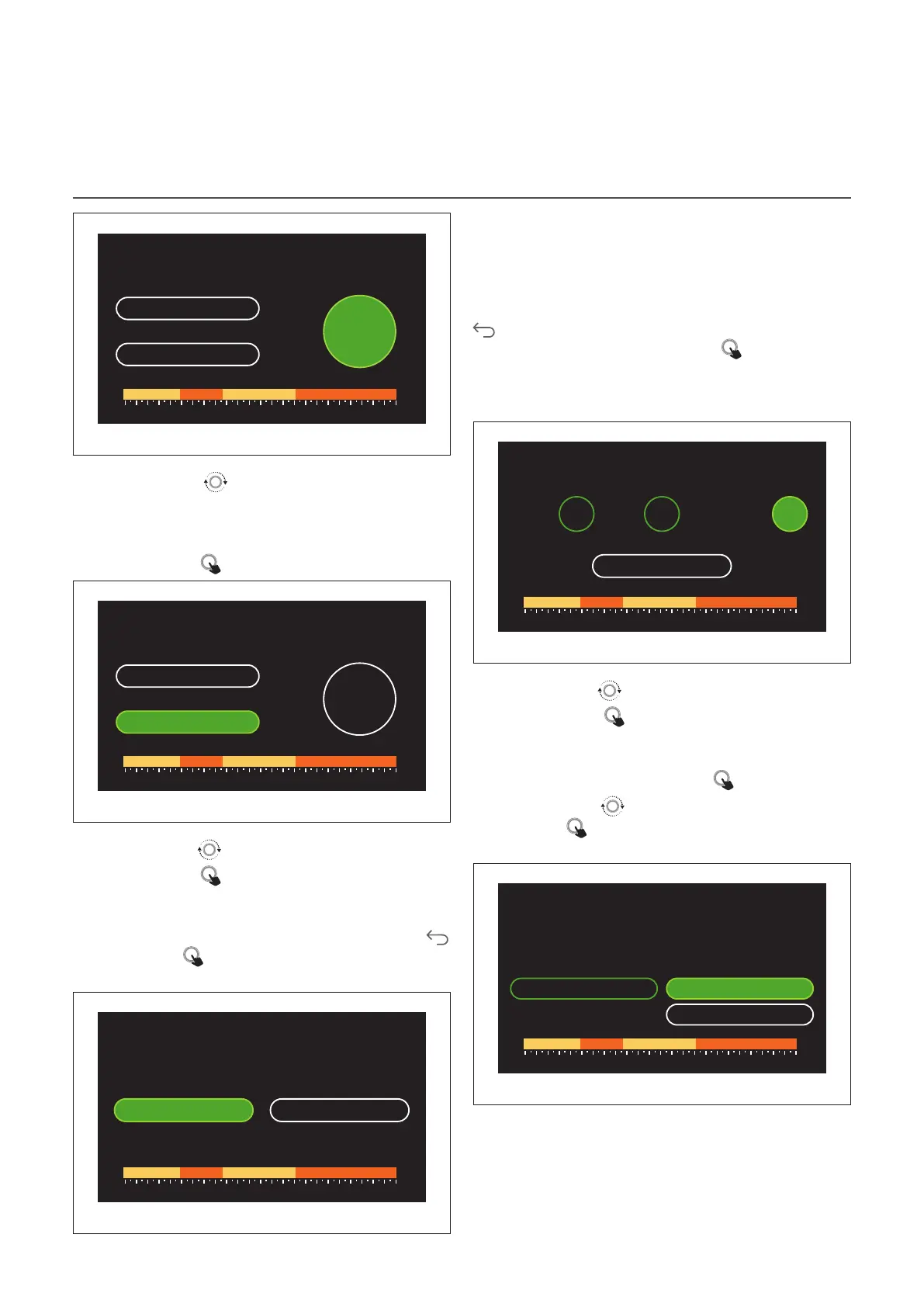
– Turn the selector
to scroll the days of the week.
– Press the selector
to select the days in which to copy
the time schedule. The selected days will be highlighted by
a green border.
– To deselect a day, press the selector
once again.
– Turn the selector
to navigate to Continue, then press
the selector to confirm.
Copying zones
Do you want to copy this time program profile for
other zones?
Living room Kitchen
Sleeping area Zone 6
Sitting room All zones
Bathroom Continue
20,0° 22,0° 21,0° 23,0°
0 2 4 6 8 10 12 16 20 14 18 22 24
Fig. 32


 To Next Page
 Loading...