31
en
10 TRANSFERRING READINGS TO A COMPUTER
Readings can be transferred from the Model CG60 and Model CG60DL to a computer. The Model CG60
will transfer readings as they are taken. The Model CG60DL will transfer readings as they are taken and
also transfer the contents of its memory.
A data transfer cable is used to connect the gauge to the computer. This cable is supplied with the Model
CG60DL and is available as an optional accessory for the Model CG60 (see “Spares” on page 38).
Elcometer recommends the use of NDT Link available from www.elcometerndt.com but other types of
software may also be used.
10.1 CONNECTING THE DATA TRANSFER CABLE
1. Plug the 9-pin female D-type connector on one end of the data transfer cable into the COM port on the
PC, or USB to COM adapter.
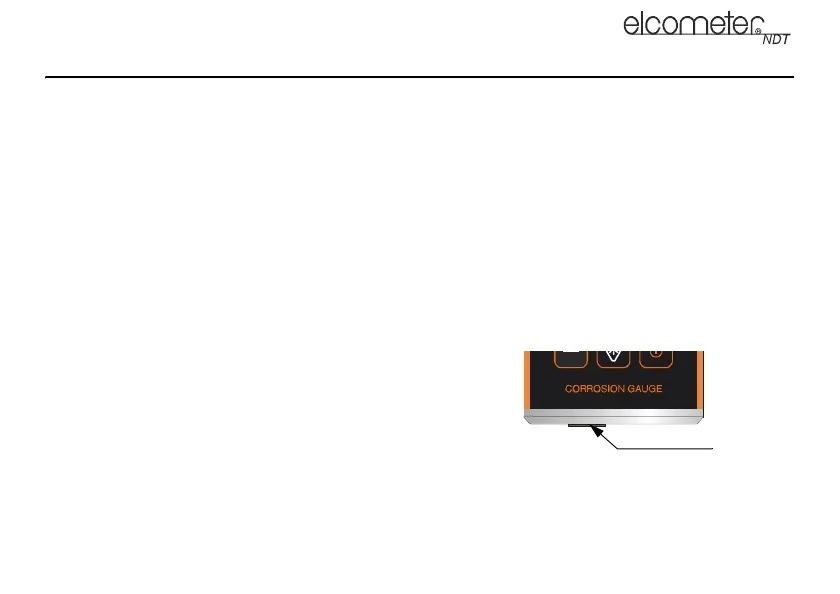
2. Plug the jack connector on the other end of the data transfer
cable into the RS232 data connection socket on the bottom
of the gauge (Figure 7).
3. Start the communications software.
4. Select gauge type Elcometer CG60 or CG60DL.
Figure 7. RS232 data connection socket
R
PRB
0
ON
OFF
IN
MM
IN
MM
RS232 data
connection
socket
CG60_CG60DL_TMA_0498_00_01_23225_A6L.fm Page 31 Tuesday, November 22, 2011 12:19 PM



 To Next Page