10
EMPTYING THE INTERNAL WATER TANK
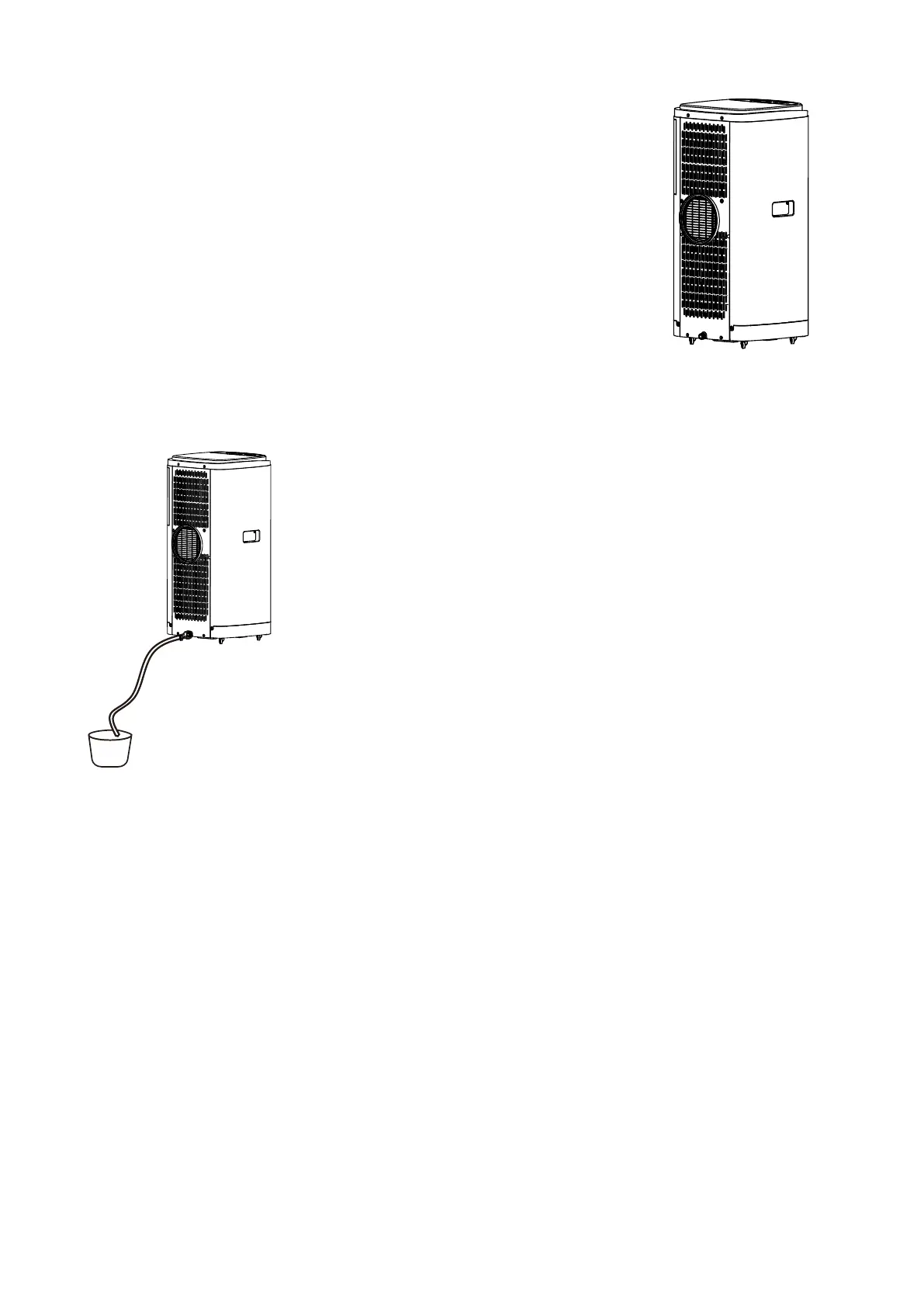
MANUAL DRAINAGE:
When the internal water tank is full the unit will stop working.
Shut off the unit and unplug. Try not to move the model abruptly as this
may cause the water in the internal tank to spill out.
Place a tray under the lower water plug or place the unit in a drainage
area.
Unscrew the drain plug cap and remove the rubber stopper - water will
drain from the internal tank. Put the rubber stopper back and screw the
drain plug cap back into place.
CONTINUOUS DRAINAGE:
Unscrew the drain plug cap and remove the rubber stopper.
Connect a water pipe to the upper water outlet.
You can plumb this pipe into your current plumbing system, lead it
outside and use gravity fall or use a water pump.
NOTE: This model has a self-evaporative function, which reduces the need to empty the water tank. If the unit
is vented correctly most of the water is reused to cool the condenser coils and any excess is evaporated. Please
do not use continuous drainage if you intend to use the self-evaporating facility.




 To Next Page