EasyManua.ls Logo

Electro-Voice ELX200-10P-US - User Manual

Electro-Voice ELX200-10P-US
44 pages
Print Icon
To Next Page IconTo Next Page
Loading...
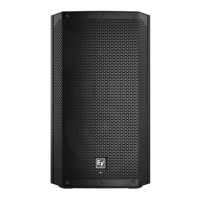
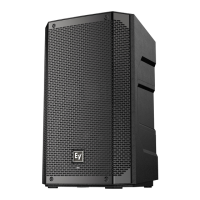
ELX200 Powered Loudspeakers
en | Installation manual

Questions and Answers

  • P
    Paula WilliamsAug 13, 2025
    Why do my Electro-Voice Speakers produce acoustic feedback?
    • W
      William LongAug 13, 2025
      If your Electro-Voice Speakers produce acoustic feedback when the input level is amplified, there are several potential causes. First, the gain structure may be incorrect; try reducing the microphone levels at the mixing console or input source, or if the microphone is directly connected to the speaker, reduce the input level on the speaker. Positioning the microphone closer to the sound source can also help increase gain-before-feedback. Second, ensure the MODE is set to LIVE or SPEECH, not MUSIC. Finally, adjust the loudspeaker setup so the microphone is behind them, or if using the loudspeaker in a monitor position, aim the loudspeaker to the back of the microphone.
  • J
    Jorge MirandaAug 16, 2025
    Why are my Electro-Voice ELX200-10P-US Speakers hissing?
    • L
      Larry EllisAug 16, 2025
      If your Electro-Voice Speakers produce a constant noise such as buzzing, hissing, or humming, several factors could be responsible. The noise could be caused by a defective source or other electronic device; evaluate each component to isolate the problem, as there is likely a break in the signal path. Alternatively, the issue could stem from poor system grounding or a ground loop, so check and correct the system grounding as required. Also, ensure the input gain knob is not in the MIC position; slowly increase the input gain knob level to engage the microphone pre-amp.
  • M
    Michael LeeAug 20, 2025
    What to do if Electro-Voice Speakers have no sound with microphone?
    • J
      Jeanne NelsonAug 21, 2025
      If your Electro-Voice Speakers aren't producing sound when a microphone is connected to INPUT 1 or INPUT 2, the issue might be related to the microphone itself or the input settings. If the microphone requires phantom power, either use a dynamic microphone that doesn't need it, or use an external phantom power source. Also, make sure the input gain knob is not in the MIC position; slowly increase the input gain knob level to engage the microphone pre-amp.
  • K
    kennedymichaelAug 25, 2025
    How to fix Electro-Voice Speakers with cracking sound?
    • P
      patricia27Aug 25, 2025
      If your Electro-Voice Speakers have intermittent output with cracking or distortion, a faulty connection could be the cause. Check all connections at the amplifier and loudspeakers to ensure they are clean and tight. If the problem persists, inspect the wiring as described in the 'No Sound' troubleshooting section.
  • J
    Jesse MurphyAug 31, 2025
    What to do if QuickSmart Mobile app does not detect Electro-Voice loudspeaker?
    • M
      megancollinsAug 31, 2025
      If the QuickSmart Mobile app doesn't detect your Electro-Voice loudspeaker, make sure that Bluetooth is enabled on the loudspeaker.
  • G
    Gavin SanchezSep 4, 2025
    How to unlock DSP menu on Electro-Voice Speakers?
    • G
      Grace ValenciaSep 5, 2025
      If the DSP menu on your Electro-Voice Speakers is locked, and a lock symbol is displayed on the LCD screen, the Menu Lock function has been turned on. To unlock it, press and hold the MASTER VOL knob for 5 seconds.
  • R
    Robyn BrownSep 8, 2025
    How to improve low-frequency response on Electro-Voice Speakers?
    • R
      Randy LeeSep 8, 2025
      If your Electro-Voice Speakers have poor low-frequency response and no subwoofers are used with the system, select the OFF position.
  • L
    Lindsey JohnsonNov 27, 2025
    How to troubleshoot Electro-Voice ELX200-10P-US with no sound?
    • M
      markmosesNov 27, 2025
      If there is no sound from Electro-Voice Speakers, check the amplifier by connecting a known working test loudspeaker to the amplifier outputs. If there is still no sound, verify all electronics are on, the signal routing is correct, the source is active, and the volume is turned up. Correct, repair, or replace components as necessary. If there is sound from the test loudspeaker, the problem is in the wiring. If the problem is in the wiring, verify you have connected the correct cables to the amplifier. Play something at a low level through the amplifier. Connect the test loudspeaker in parallel with the malfunctioning line. If the sound level is gone or very weak, the line has a short in it (possibly a severe scrape, pinch, or a missed connection). Using the test loudspeaker, move down the...

Summary

Safety

Important safety instructions

Provides critical safety guidelines for operating the ELX200 loudspeakers.

Suspension Safety Warning

Highlights dangers and responsibilities associated with suspending loudspeakers.

FCC Information and Precautions

Details FCC compliance information and essential operational precautions.

Description

Quick Setup Guide

Step-by-step guide for initial setup of ELX200 loudspeakers.

Tripod and Floor Monitor Operation

Suspension

Installing the Eyebolts

Procedure for installing M10 eyebolts and fender washers for suspension.

Eyebolt Orientation and Load Limits

Guidelines on correct eyebolt orientation and maximum working load.

Amplifier DSP

Amplifier DSP Controls

Overview of controls and connectors on the full-range loudspeaker amplifier panel.

Pairing the QuickSmart Mobile Application

Troubleshooting

No Sound Issues

Steps to diagnose and resolve issues related to no sound output.

Microphone Connection Issues

Troubleshooting problems with microphone connections to INPUT 1 or 2.

Microphone Acoustic Feedback

Resolving acoustic feedback issues when microphone input level is amplified.

Electro-Voice ELX200-10P-US Specifications

General IconGeneral
Max SPL126 dB
Weight13.4 kg (29.5 lbs)
Dimensions24.5 x 15.7 x 13.8 in (622 x 400 x 350 mm)
Speaker Type2-way
Woofer Size10"
Maximum SPL126 dB
Coverage (H x V)90° x 60°
Amplifier Power1000W Peak (500W LF, 500W HF)
Crossover Frequency1.8 kHz
Enclosure MaterialPolypropylene
Input ConnectorsXLR/TRS Combo
ColorBlack
Tweeter Size1.5"
ConnectorsXLR/TRS Combo, XLR Link Output
SuspensionM10 Suspension Points
Output ConnectorsXLR Link Output
TypePowered Loudspeaker
Driver Size10" Woofer, 1.5" Tweeter
Woofer10 inches EVS-10M
Tweeter1.5 inches titanium

Related product manuals