EasyManua.ls Logo

Electro-Voice PSX600 - Rear Panel.11

Electro-Voice PSX600
21 pages
Print Icon
To Next Page IconTo Next Page
To Previous Page IconTo Previous Page
Loading...
REAR
PANEL
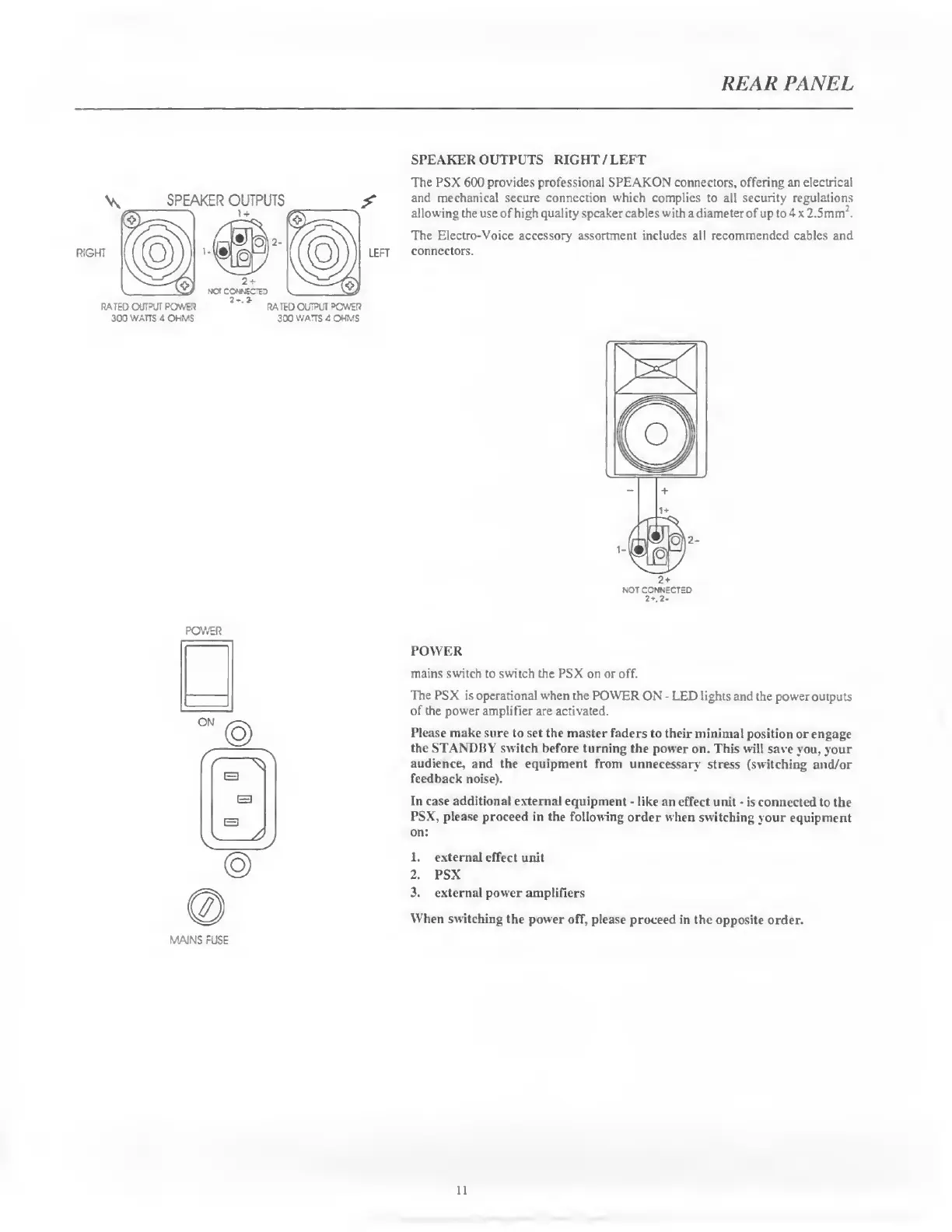
SPEAKER
OUTPUTS
RIGHT
/
LEFT
SPEAKER
OUTPUTS
LEFT
300
WATTS
4
OHMS
300
WATTS
3
OHMS
The
PSX
600
provides
professional
SPEAKON
connectors,
offering
an
electrical
and
mechanical
secure
connection
which
complies
to
all
security
regulations
allowing
the
use
of
high
quality
speaker
cables
with
a
diameter
of
up
to
4
x
2.5mm
J
.
The
Electro-Voice
accessory
assortment
includes
all
recommended
cables
and
connectors.
NOT
CONNECTED
2
*.
2
-
POWER
MAINS
FUSE
POWER
mains
switch
to
switch
the
PSX
on
or
off.
The
PSX
is
operational
when
the
POWER
ON
-
LED
lights
and
the
power
outputs
of
the
power
amplifier
are
activated.
Please
make
sure
to
set
the
master
faders
to
their
minimal
position
or
engage
the
STANDBY
switch
before
turning
the
power
on.
This
will
save
you.
your
audience,
and
the
equipment
from
unnecessary
stress
(switching
and/or
feedback
noise).
In
case
additional
external
equipment
-
like
an
effect
unit
-
is
connected
to
the
PSX,
please
proceed
in
the
following
order
when
switching
your
equipment
on:
1.
external
effect
unit
2.
PSX
3.
external
power
amplifiers
When
switching
the
power
off,
please
proceed
in
the
opposite
order.
11

Related product manuals