14
DETAILED COMPONENT DESCRIPTIONS
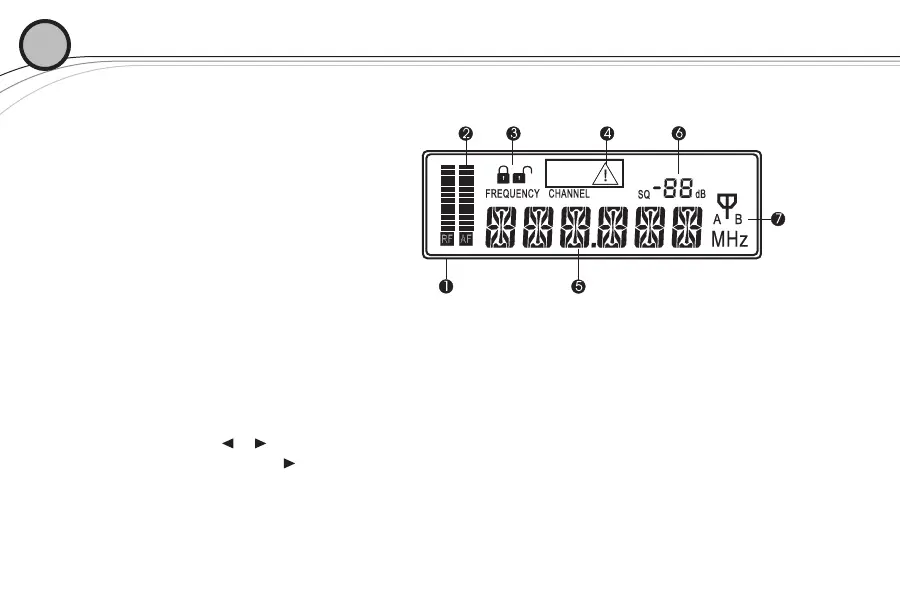
2.1.2 | Receiver Main Operating Screen
Display:
1. RF Signal Meter
2. Audio Meter
3. Lock Indicator
4. No Signal Indicator
5. Channel Number (01 to 32) or Frequency
6. Squelch Setting
7. Antenna Diversity Status A or B antenna
Controls:
1. Press or to change channels
2. Press and hold for 3 seconds starts ClearScan, CLEARSCAN scrolls across the display
3. Press SET once to display FREQUENCY or CHANNEL, whichever is not showing
4. Press and hold SET for 3 seconds to access settings menu
02



 To Next Page