22
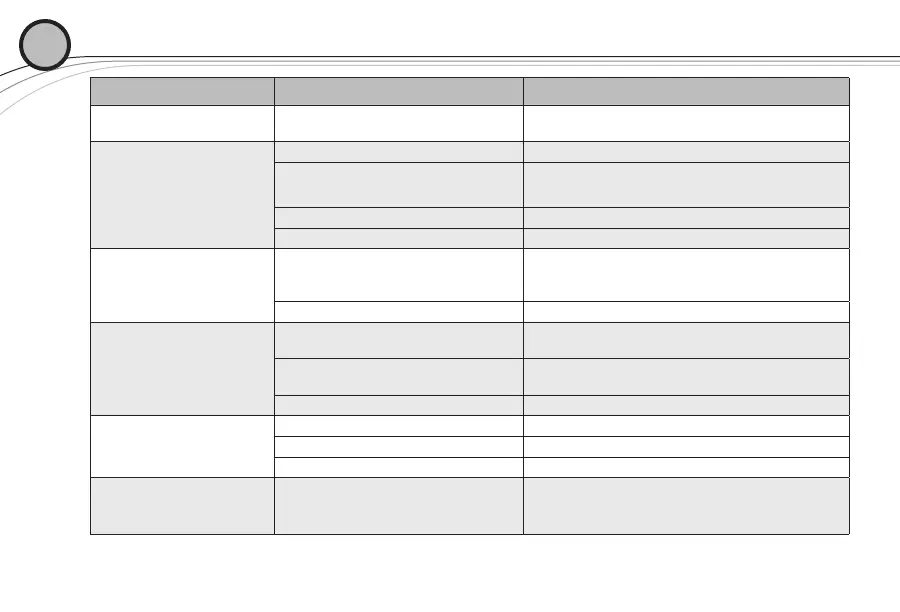
TROUBLESHOOTING GUIDE
04
Problem Possible Causes Solutions
No audio and no display on
the receiver
Receiver is off
Make sure that the power supply is properly
connected and the on/off button is in the on position.
No audio and no RF
signal indicator on the
receiver display
Transmitter is off Turn on transmitter power switch.
Transmitter is on a different channel or is
a different band
Check band information on serial number label and
match to receiver, reset channel (see section 2.1).
No (or dead) battery in transmitter Insert fresh batteries in transmitter.
Faulty battery contacts Clean and or bend contacts to improve connection.
No Audio with good RF
signal indicator
Microphone not connected
Check the TA4F connector on the bodypack or the
detachable microphone element connection on the
handheld. If possible, try another microphone.
Transmitter Mute On Press and hold On/Off button to stop Mute.
No (or low) Audio with
good RF signal and Audio
indicators on receiver display
Receiver audio output cable is damaged
or disconnected
Connect, repair or replace audio output cable.
Gain not sufficient on mixer/preamp/amp
input or it is muted
Increase gain on mixer or un-mute the input.
Receiver output too low Increase the audio output setting.
Distorted audio signal
Receiver output too high Decrease the receiver output setting.
Loud instrument or audio source Change the bodypack gain switch to INS.
Battery level low in transmitter Insert fresh batteries in transmitter.
Interference
Another R300 system in the installation
is on the same channel or signals
are mixing.
Make certain all units are on different channels. See
Frequently Asked Questions section for more helpful
information.




 To Next Page