8
DETAILED COMPONENT DESCRIPTIONS
2.1 | Receiver Setup & Operation
1. Place the receiver and antennas where there is a clear line of sight to the area where the
transmitter will be used. Rotate the antennas to separate them by 90 degrees.
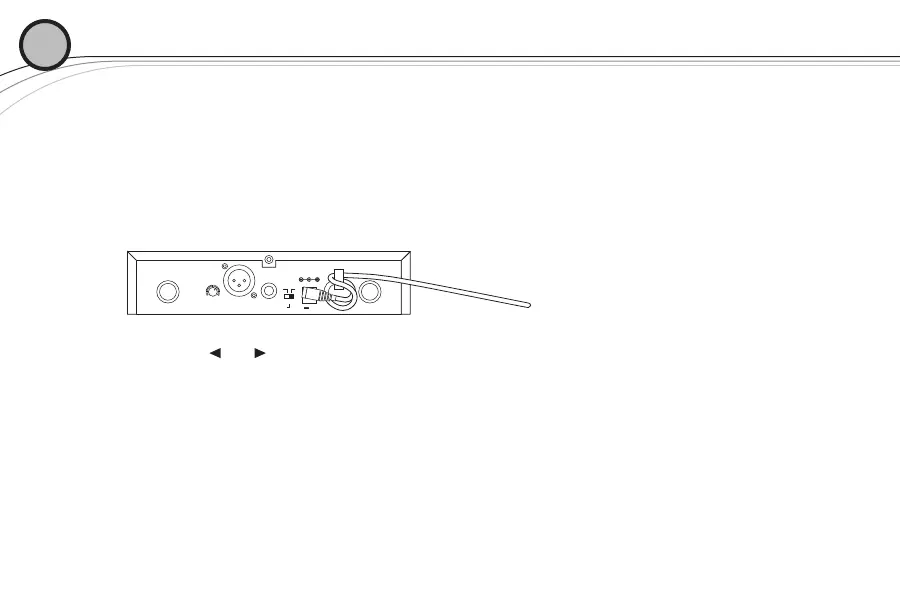
2. Install the appropriate power connection blades into the power supply and connect
the power supply cord to the receiver. Plug the power supply into an AC outlet. Push
the power button to turn the receiver on and confirm that it is on by checking the main display
screen.
3. Manual Channel Change
a. The and buttons allow you to scroll through the Channels. When the Channel
you desire is displayed, stop scrolling.
b. After 2 seconds the displayed channel number will start to flash.
c. The number will stop flashing and the new channel is installed.
d. Turn on the transmitter and hold the EZsync port facing the receiver EZSync port,
about a foot (30 cm) away, as described on page 5.
02
ANTENNA B ANTENNA A12V .500mA
MIN MAX
VOLUME
LEVEL
-10dB 0dB
BALANCED OUT UNBALANCED OUT
continued on next page








 To Next Page