EasyManua.ls Logo

Electro-Voice ZLX-15BT-US - User Manual

Electro-Voice ZLX-15BT-US
36 pages
Print Icon
To Next Page IconTo Next Page
Loading...
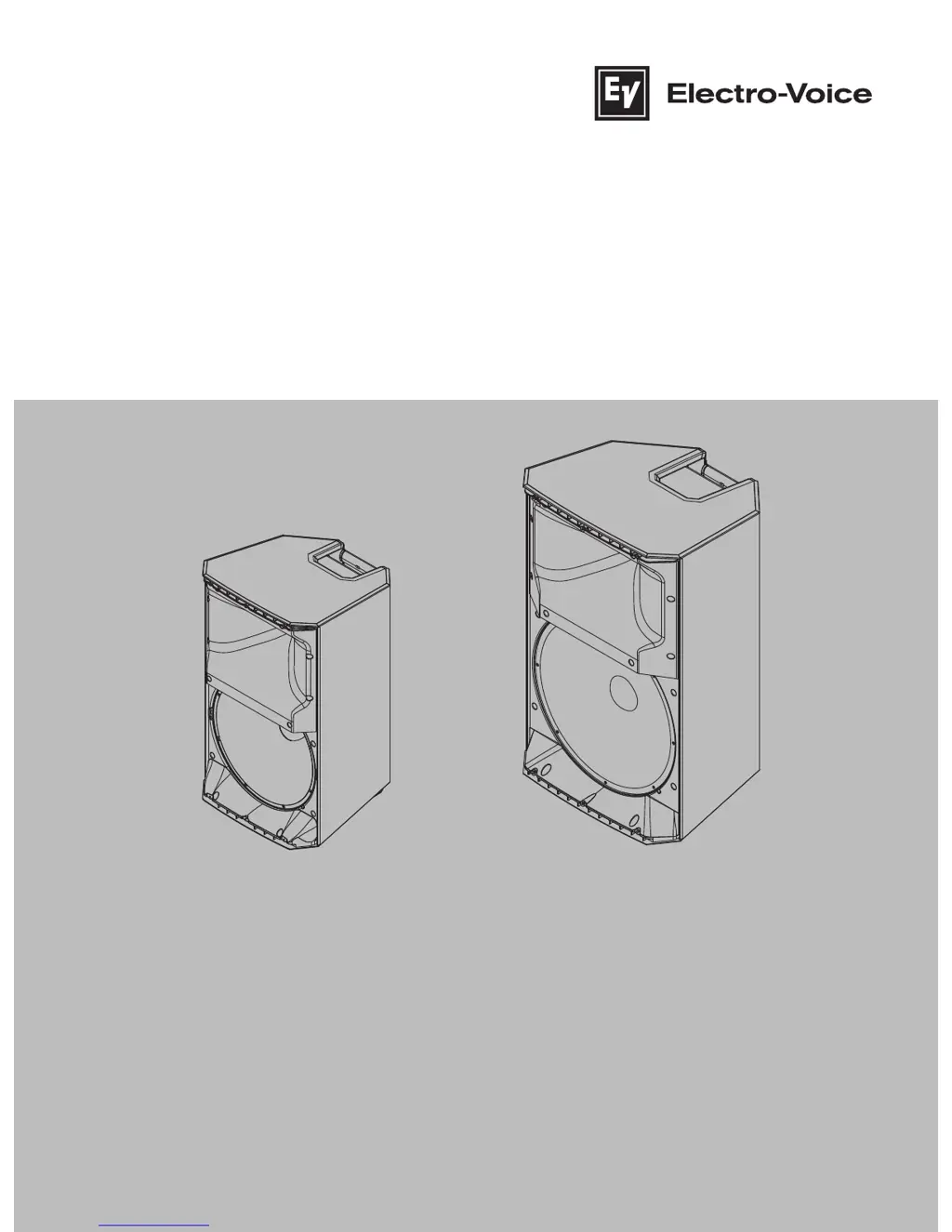
ZLX Powered Loudspeaker Series
ZLX-12BT-US, ZLX-15BT-US,
ZLX-12BT-EU, ZLX-15BT-EU
en
Installation manual

Questions and Answers

  • R
    racheljonesAug 15, 2025
    Why is my Electro-Voice speaker skipping or stuttering during Bluetooth playback?
    • E
      Erik HortonAug 15, 2025
      If you experience skipping or stuttering playback with streaming audio on your Electro-Voice speaker, move the mobile device closer to the loudspeaker. This Bluetooth® enabled loudspeaker occupies the same operating frequencies as other Bluetooth® devices, as well as Wi-Fi and other wireless transmissions (like wireless home phones). If you are experiencing drop-outs, your speaker may be in an environment that makes reliable wireless audio difficult. Try to move the loudspeaker to different locations in the room, and especially away from 2.4gHz routers and microphone receivers. If the problem persists, revert back to a wired connection while at that particular venue.
  • H
    hullangelaAug 22, 2025
    What to do if Electro-Voice ZLX-15BT-US sound distorted and the limit is on?
    • S
      Scott WilsonAug 22, 2025
      If your Electro-Voice speaker's front LED is off, the LCD screen shows LIMIT is ON, and the sound is distorted, it indicates an excessive input level. Reduce the input level or loudspeaker level knobs to prevent limiting. Also, verify the level controls of the source are properly structured by using the VU meter indicator on the LCD screen. If the VU meter bar is solid or the system indicates LIMIT, the input or source level is too high.
  • S
    Sean PerezAug 26, 2025
    How to stop acoustic feedback from Electro-Voice ZLX-15BT-US Speakers and microphone?
    • B
      brett10Aug 26, 2025
      To address acoustic feedback with your Electro-Voice speakers when using a microphone, first reduce the microphone levels at the mixing console or input source. If the microphone is directly connected to the speaker, lower the input level on the speaker itself. Positioning the microphone closer to the sound source can increase gain-before-feedback. Change the MODE to LIVE or SPEECH. Whenever possible, position the loudspeakers so the microphone is behind them. If using the loudspeaker in a monitor position, aim the loudspeaker to the back of the microphone.
  • K
    Keith MaloneAug 28, 2025
    How to fix constant noise (buzzing, hissing, humming) from Electro-Voice ZLX-15BT-US Speakers?
    • G
      Gregory WolfAug 28, 2025
      To troubleshoot constant noise like buzzing, hissing, or humming from your Electro-Voice speakers, first, if noise is present when no program material is playing, evaluate each component to isolate the problem. Most likely there is a break in the signal path. Check and correct the system grounding, as required. If the input gain knob is not in the MIC position, slowly increase the input gain knob level to engage the microphone pre-amp.
  • K
    Kelsey GardnerSep 1, 2025
    What to do if Electro-Voice speaker DSP menu is locked?
    • R
      Richard VargasSep 1, 2025
      If the DSP menu on your Electro-Voice speaker is locked, indicated by a lock symbol on the LCD screen, it means the Menu Lock function is enabled. To unlock it, press and hold the MASTER VOL knob for 5 seconds.
  • A
    Alexandra AdamsSep 4, 2025
    Why Electro-Voice speaker is not producing sound with a microphone connected?
    • S
      sheltonjefferySep 4, 2025
      If your Electro-Voice speaker isn't producing sound when a microphone is connected to INPUT 1 or INPUT 2, it could be due to a couple of reasons. If the microphone requires phantom power, use a dynamic microphone that does not require phantom power, or you'll need an external phantom power source. Also, make sure that the input gain knob is in the MIC position, slowly increase the input gain knob level to engage the microphone pre-amp.
  • M
    matthew39Sep 7, 2025
    Why is there no streaming audio from my Electro-Voice speaker?
    • P
      Patrick McknightSep 7, 2025
      If you're experiencing no streaming audio with your Electro-Voice speaker, ensure that STREAMING is set to PAIRING and initiate the Bluetooth® pairing process on your mobile device. If you have previously paired to a different Bluetooth® enabled ZLX loudspeaker, you may be pairing with the wrong device. Try deleting all saved connections labeled EV ZLX BT and try the pairing process again. While music is playing, turn up the volume on the paired mobile device. You will see the BT VU Meter receiving signal. Reduce if you see a CLIP notification. Increase output gain by setting your LEVEL with the MASTER VOL knob, paying attention to CLIP and LIMIT notifications.
  • T
    Teresa CooleySep 12, 2025
    What causes intermittent output (cracking, distortion) in Electro-Voice speakers?
    • A
      Aaron GrossSep 12, 2025
      Intermittent output issues like cracking or distortion in Electro-Voice speakers often stem from a faulty connection. Check all connections at the amplifier and loudspeakers to ensure they are clean and tight. If the problem persists, check the wiring.
  • R
    ronaldjonesNov 18, 2025
    Why Electro-Voice ZLX-15BT-US Speakers have no sound?
    • M
      martinmelissaNov 18, 2025
      If your Electro-Voice speakers aren't producing sound, several factors could be at play. First, ensure all electronic components are powered on, the signal routing is correctly configured, the audio source is active, and the volume is adequately raised. Rectify, repair, or replace any faulty components as needed. If the problem persists, examine the wiring. Confirm that the correct cables are securely connected to the amplifier. Play audio at a low level and connect a test loudspeaker in parallel with the malfunctioning line. A significant drop or absence of sound indicates a short circuit within the line, potentially caused by a scrape, pinch, or loose connection. Use the test loudspeaker to systematically check each connection/junction until the issue is identified and resolved. Ensure c...

Summary

Safety Information

Important Safety Instructions

Essential safety guidelines for operating and handling the loudspeaker to prevent hazards.

Suspension Safety Guidelines

Guidelines and warnings regarding the safe suspension of loudspeakers to prevent injury or damage.

Product Description and Setup

Wireless Streaming Setup

Instructions for pairing and configuring the system for wireless audio streaming via Bluetooth.

Mounting and Operation

Amplifier and DSP Controls

Amplifier Panel Overview

Detailed explanation of the amplifier panel controls and connectors for system configuration.

DSP Control Navigation

Guide to accessing and navigating the integrated DSP control menu for system settings.

Recommended Configurations

Stereo Wireless Streaming

Steps for setting up stereo audio streaming using Bluetooth connectivity.

Troubleshooting Guide

Problem Diagnosis and Solutions

A guide to diagnosing and resolving common issues encountered with the loudspeaker system.

Electro-Voice ZLX-15BT-US Specifications

General IconGeneral
BrandElectro-Voice
ModelZLX-15BT-US
CategorySpeakers
LanguageEnglish

Related product manuals