EasyManua.ls Logo

Electro-Voice ZLX-G2 - User Manual

Electro-Voice ZLX-G2
80 pages
Print Icon
To Next Page IconTo Next Page
Loading...
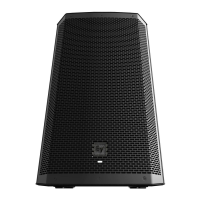
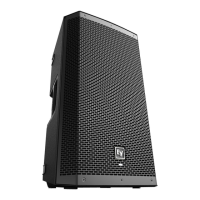
ZLX‑G2 Full‑range loudspeaker
ZLX‑8‑G2, ZLX‑12‑G2, ZLX‑15‑G2, ZLX‑8P‑G2, ZLX‑12P‑G2,
ZLX‑15P‑G2
en
User manual

Questions and Answers

  • A
    Andrea GonzalezAug 7, 2025
    Why is there no sound coming from my Electro-Voice Speakers?
    • M
      Maria KelleyAug 7, 2025
      The absence of sound from your Electro-Voice Speakers may stem from several factors. First, ensure all electronic components are powered on, the signal routing is correctly configured, and the audio source is active with the volume appropriately adjusted. If issues persist, examine the wiring for potential faults. Verify the correct cables are connected to the amplifier. To check for wiring shorts, play audio at a low level and connect a test loudspeaker in parallel. A significant drop in sound level indicates a short in the line. Use the test loudspeaker to trace and rectify each connection, while observing proper polarity. Also, check all cables between the source and the loudspeaker with a multimeter or cable tester. Replace any suspect cables with a known good cable.
  • J
    Jared WadeAug 13, 2025
    What to do if my Electro-Voice ZLX-G2 have intermittent output with cracking or distortion?
    • K
      Katherine CurtisAug 13, 2025
      If your Electro-Voice Speakers exhibit intermittent output, such as cracking or distortion, begin by inspecting all connections at both the amplifier and the loudspeaker. Ensure that these connections are clean and securely tightened. If the problem continues, examine the wiring for potential issues.
  • J
    John KennedyAug 19, 2025
    Why do my Electro-Voice ZLX-G2 produce constant noise like buzzing, hissing, or humming?
    • T
      tiffanyroweAug 19, 2025
      Constant noise from your Electro-Voice Speakers, such as buzzing, hissing, or humming, can arise from a defective source or another electronic device. If noise persists when no program material is playing, assess each component to isolate the problem, as there's likely a break in the signal path. Also, check and correct the system grounding, as required.
  • C
    Christopher JohnsonAug 26, 2025
    How to improve poor low-frequency response in Electro-Voice ZLX-G2 Speakers?
    • R
      Ronald ReedAug 26, 2025
      If you're experiencing poor low-frequency response with your Electro-Voice Speakers, the issue might be due to loudspeakers wired out-of-polarity. This causes low frequencies to cancel each other acoustically. Carefully check the wire markings or tracers on your loudspeaker wires. Ensure that the amplifier's (+) terminal connects to pin 1+ of the NL4 connector and the amplifier's (-) terminal connects to pin 1- of the NL4 connector.
  • L
    Lisa LeeSep 1, 2025
    What to do if my Electro-Voice ZLX-G2 produce acoustic feedback with a microphone?
    • R
      roserickySep 1, 2025
      Acoustic feedback from your Electro-Voice Speakers when using a microphone often occurs because the microphone is too close to the front of the loudspeaker. Position the loudspeakers so the microphone is behind them whenever possible. If using the loudspeaker in a monitor position, aim the loudspeaker to the back of the microphone.

Summary

Safety

1.1 Important Safety Instructions

Critical safety guidelines to prevent electrical hazards, fire, and damage.

1.2 Usage Precautions

1.3 Suspension Safety Guidelines

Product Registration

Product Description

3.1 Product Identification

Lists specific product model numbers (CTN) and their corresponding descriptions.

3.2 System Features

Details advanced features like Bluetooth streaming, DSP, and unique cabinet design.

Quick Setup Guide

QuickSmart Mobile App Pairing

Mounting and Operation Modes

6.1 Tripod and Pole Mounting

Procedures for securely mounting loudspeakers on tripod or pole stands.

6.2 Floor Monitor and Kickback Use

How to position loudspeakers for floor monitoring or kickback use.

Amplifier DSP Functions

7.1 Amplifier DSP Controls

Identification and explanation of the DSP control interface elements.

7.2 System Status Display

Explanation of the information shown on the loudspeaker's system status screen.

7.3 DSP Control Menu Navigation

Instructions on how to access and navigate the DSP settings menu.

Input and Mixer Operations

8.1 Input DSP Control Menu

How to control mixer channels and adjust input settings via the DSP.

Recommended Configurations

9.1 Powered Loudspeaker Setups

Specific configuration examples for powered ZLX-G2 models.

9.1.1 Connecting to Mobile Devices

Setup for wireless audio playback from a mobile device.

9.1.2 Street Musician Performance

Recommended configuration for a solo street musician performance.

9.1.3 Bluetooth True Wireless Stereo (TWS)

Steps to link two loudspeakers for stereo audio streaming.

9.1.4 Using as Stage Monitors

Configuration guide for using ZLX-G2 speakers as stage monitors.

9.1.5 Daisy-Chaining Systems

Instructions for connecting multiple full-range systems in series.

9.1.6 Stacking with Subwoofers

Setup guide for combining ZLX-G2 loudspeakers with subwoofers.

9.2 Passive Loudspeaker Setups

Configuration examples for passive ZLX-G2 models.

9.2.1 Basic Stereo System

Setting up a basic stereo system with passive loudspeakers.

9.2.2 Stage Monitors with Passive Systems

Configuring passive loudspeakers for use as stage monitors.

9.2.3 Stacking Passive Systems with Subwoofers

Setup guide for passive loudspeakers with subwoofers.

Troubleshooting

10.1 Passive Loudspeaker Issues

Troubleshooting steps for problems specific to passive ZLX-G2 models.

10.2 Powered Loudspeaker Issues

Troubleshooting steps for problems specific to powered ZLX-G2 models.

Technical Specifications

11.1 Powered Loudspeaker Specs

Technical specifications for the powered ZLX-G2 series loudspeakers.

11.2 Passive Loudspeaker Specs

Technical specifications for the passive ZLX-G2 series loudspeakers.

11.3 Physical Dimensions

Diagrams and measurements for the 8-inch and 12-inch loudspeaker models.

Appendices

12.1 Warranty Information

Details on warranty periods and after-sales service.

12.2 Effects (FX) List

A comprehensive list of the available sound effects (FX) and their names.

12.3 Output Parameter List

Lists all adjustable parameters and their possible settings for output.

12.4 Input Parameter List

Lists all adjustable parameters and their possible settings for inputs.

12.5 Regulatory Information

Compliance information including FCC, IC, and regional standards.

12.5.1 FCC Information

Details on FCC compliance for this digital device.

12.5.2 Simplified Declaration of Conformity

EU and UK declarations of conformity for radio equipment.

12.5.3 CE;UKCA Regulatory Notice

Information concerning the use of apparatus based on CE/UKCA notices.

12.5.4 Product Certifications

Listing of certifications obtained for the product in various regions.

12.5.5 Open Source Software Licenses

Information regarding licenses for open source software components used.

12.5.5.1 Component Overview

Details on components, copyrights, and licenses for open source software.

12.5.5.2 License Details

Specifics of the Apache License for CMSIS components.

12.5.6 Notices

Copyright, disclaimer, Bluetooth notice, and RoHS information.

Electro-Voice ZLX-G2 Specifications

General IconGeneral
Coverage (H x V)90° x 60°
Enclosure MaterialPolypropylene
TypePowered Speaker
Tweeter Size1.5 in
InputsXLR/TRS combo
OutputsXLR

Related product manuals