EasyManua.ls Logo

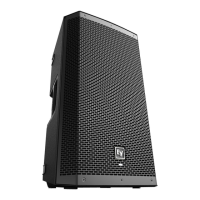
Electro-Voice ZLX-12P-G2 - User Manual

Electro-Voice ZLX-12P-G2
80 pages
Print Icon
To Next Page IconTo Next Page
Loading...
ZLX‑G2 Full‑range loudspeaker
ZLX‑8‑G2, ZLX‑12‑G2, ZLX‑15‑G2, ZLX‑8P‑G2, ZLX‑12P‑G2,
ZLX‑15P‑G2
en
User manual

Questions and Answers

  • R
    Roy McdonaldAug 10, 2025
    Why is there no sound coming from my Electro-Voice ZLX-12P-G2?
    • J
      Justin TaylorAug 10, 2025
      The absence of sound from your Electro-Voice Speakers may stem from several factors. First, ensure all electronic components are powered on, the signal routing is correctly configured, and the audio source is active with the volume appropriately adjusted. If issues persist, examine the wiring for potential faults. Verify the correct cables are connected to the amplifier. To check for wiring shorts, play audio at a low level and connect a test loudspeaker in parallel. A significant drop in sound level indicates a short in the line. Use the test loudspeaker to trace and rectify each connection, while observing proper polarity. Also, check all cables between the source and the loudspeaker with a multimeter or cable tester. Replace any suspect cables with a known good cable.
  • M
    Ms. Leslie Hunt DVMAug 16, 2025
    What to do if my Electro-Voice Speakers have intermittent output with cracking or distortion?
    • J
      josephweissAug 16, 2025
      If your Electro-Voice Speakers exhibit intermittent output, such as cracking or distortion, begin by inspecting all connections at both the amplifier and the loudspeaker. Ensure that these connections are clean and securely tightened. If the problem continues, examine the wiring for potential issues.
  • S
    Shaun MataAug 22, 2025
    Why do my Electro-Voice ZLX-12P-G2 Speakers produce constant noise like buzzing, hissing, or humming?
    • S
      sean03Aug 22, 2025
      Constant noise from your Electro-Voice Speakers, such as buzzing, hissing, or humming, can arise from a defective source or another electronic device. If noise persists when no program material is playing, assess each component to isolate the problem, as there's likely a break in the signal path. Also, check and correct the system grounding, as required.
  • C
    Christine HarrisAug 27, 2025
    How to improve poor low-frequency response in Electro-Voice ZLX-12P-G2?
    • N
      Natalie JuarezAug 27, 2025
      If you're experiencing poor low-frequency response with your Electro-Voice Speakers, the issue might be due to loudspeakers wired out-of-polarity. This causes low frequencies to cancel each other acoustically. Carefully check the wire markings or tracers on your loudspeaker wires. Ensure that the amplifier's (+) terminal connects to pin 1+ of the NL4 connector and the amplifier's (-) terminal connects to pin 1- of the NL4 connector.
  • J
    Jennifer MorrisSep 3, 2025
    What to do if my Electro-Voice ZLX-12P-G2 Speakers produce acoustic feedback with a microphone?
    • J
      jacksoncherylSep 3, 2025
      Acoustic feedback from your Electro-Voice Speakers when using a microphone often occurs because the microphone is too close to the front of the loudspeaker. Position the loudspeakers so the microphone is behind them whenever possible. If using the loudspeaker in a monitor position, aim the loudspeaker to the back of the microphone.

Summary

Safety

Important Safety Instructions

Essential safety instructions for reducing fire or electric shock hazards and ensuring proper operation.

Quick Setup

Pairing the QuickSmart Mobile App

Tripod, Pole Mount and Floor Monitor Operation

Amplifier DSP

Amplifier DSP Controls

Explanation of the controls and interface for the amplifier's DSP functions.

DSP Controls

Details on how to access and modify various DSP system settings.

Input & Mixer Operation

INPUT DSP Control Menu

Explanation of the input channel DSP control menu and its adjustments.

Recommended Configurations

9.1 Powered Loudspeakers

Recommended configurations for powered ZLX-G2 models, covering various connection and usage scenarios.

9.1.1 Connecting with Mobile Device

Guide to connecting a mobile device to the ZLX-G2 for audio playback and control.

9.1.2 Street Musician Performance

Setup for street musicians using ZLX-G2 with instruments and microphones.

9.1.3 Bluetooth True Wireless Stereo (TWS)

Setting up two ZLX-G2 loudspeakers for stereo audio via Bluetooth TWS.

Troubleshooting

10.1 Passive Loudspeakers

Troubleshooting guide for issues encountered with passive ZLX-G2 models.

10.2 Powered Loudspeakers

Troubleshooting guide for issues encountered with powered ZLX-G2 models.

Electro-Voice ZLX-12P-G2 Specifications

General IconGeneral
BrandElectro-Voice
ModelZLX-12P-G2
CategorySpeakers
LanguageEnglish

Related product manuals