electrolux operation
129
Auto cook & auto defrost
operation
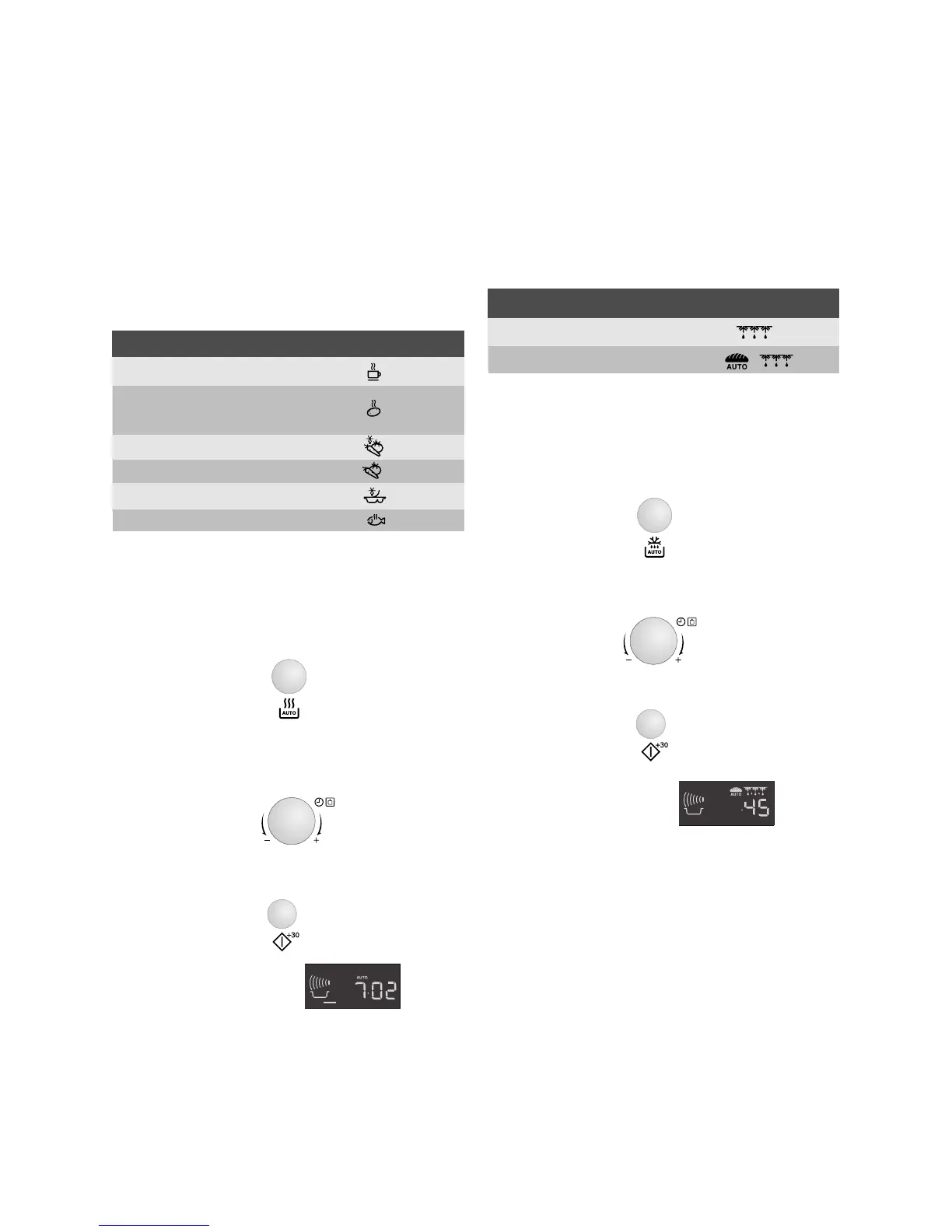
AUTO COOK and AUTO DEFROST
automatically work out the correct
cooking mode and cooking time. You
can choose from 6 AUTO COOK and 2
AUTO DEFROST menus.
Auto cook
Example: To cook 0.3 kg of boiled
potatoes.
1. Select the menu required by pressing
the AUTO COOK button twice.
2. Turn the TIMER/WEIGHT knob until
0.3 kg is displayed.
3. Press the START/+30 button.
4. Check the display:
When action is required (e.g. to turn
food over) the oven stops and the audible
bell sounds, remaining cooking time and
the indicator will flash on the display. To
continue cooking, press the START/+30
button.
At the end of the Auto cook time, the
programme will automatically stop. The
audible bell sounds and the cooking
symbol will flash. After 1 minute and a
reminder beep, the time of day will be
displayed.
Auto defrost
Example: To defrost 0.2 kg of bread.
1. Select the menu required by pressing
the AUTO DEFROST button twice.
2. Turn the TIMER/WEIGHT knob until
0.2 is displayed.
3. Press the START/+30 button.
4. Check the display:
When action is required (e.g. to turn
food over) the oven stops and the audible
bell sounds, remaining cooking time and
the indicator will flash on the display. To
continue cooking, press the START/+30
button. At the end of the Auto defrost
time, the programme will automatically
stop. The audible bell sounds and the
cooking symbol will flash. After 1 minute
and a reminder beep, the time of day will
be displayed.
x2
x1







 To Next Page