EasyManua.ls Logo

Electrolux EOA9S31CX - Page 17

Electrolux EOA9S31CX
64 pages
Print Icon
To Next Page IconTo Next Page
To Previous Page IconTo Previous Page
Loading...
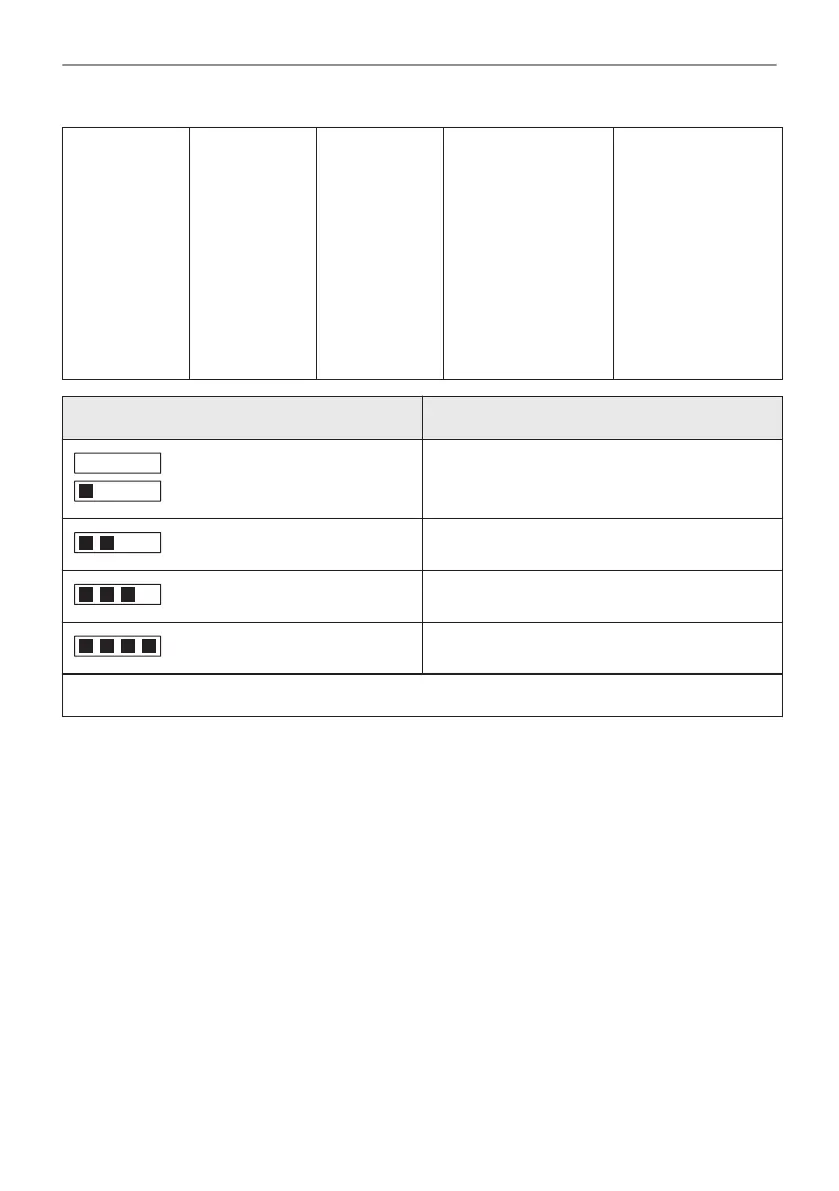
Step 1
Take the four
colour test
strip supplied
with the steam
set in the
oven.
Step 2
Put all the re‐
action zones
of the strip in‐
to water for
about one
second.
Do not put the
strip into run‐
ning water.
Step 3
Shake the
strip to re‐
move the ex‐
cess of water.
Step 4
Wait one minute
and check water
hardness with the
table above.
The colours of the
reaction zones con‐
tinue to change. Do
not check water
hardness later than
one minute after
test.
Step 5
Set water hardness:
Menu / Settings /
Setup / Water hard‐
ness.
Test strip Water hardness
1
2
3
4
You can change water hardness in the menu: Settings / Setup / Water hardness.
17/64
BEFORE FIRST USE

Table of Contents

Related product manuals