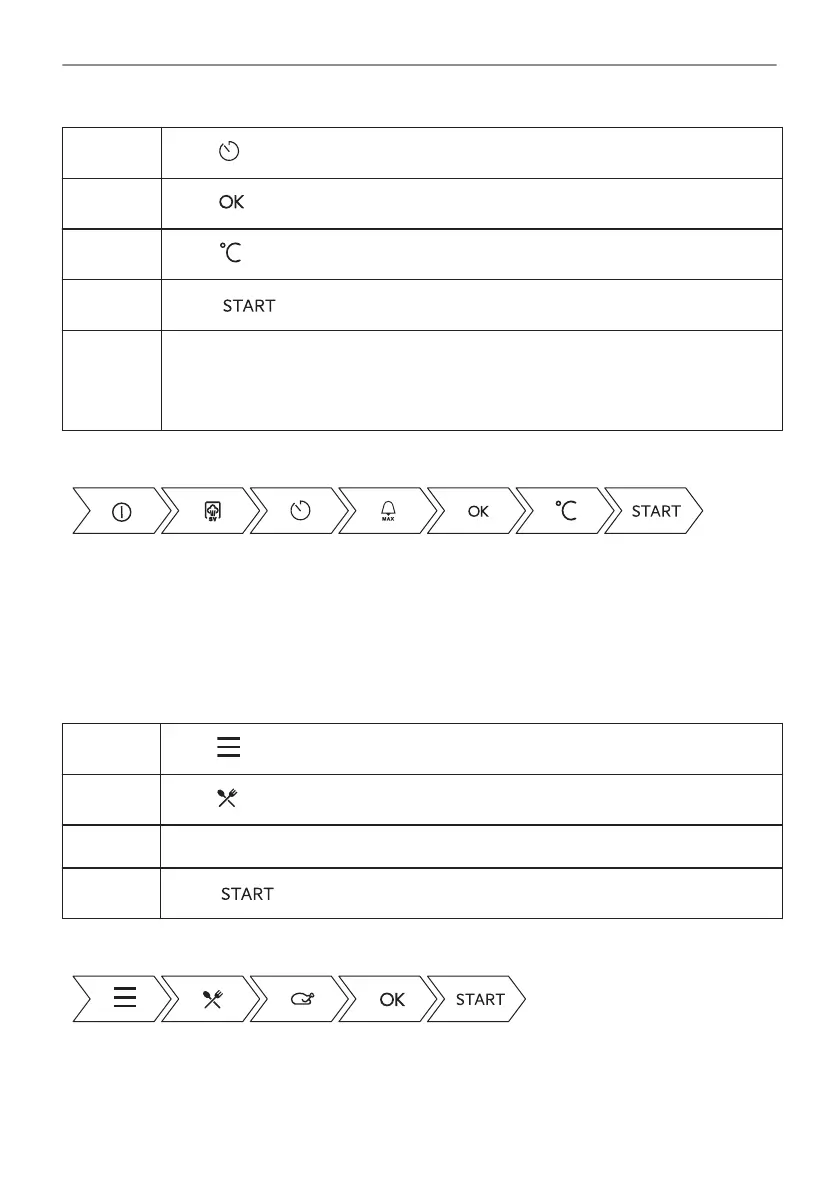
Step 4
Press to set the timer.
Step 5
Press .
Step 6
Press to set the temperature and confirm.
Step 7
Press .
Step 8 Residual water can accumulate on the vacuum bags and in the cavity. After cook‐
ing, open the door carefully to avoid water spillage. Use a plate and a towel to take
out the vacuum bags. When the oven is cold, remove the water from the bottom of
the cavity with a sponge. Dry the cavity with a soft cloth.
Take a shortcut!
6.5 How to set: Assisted Cooking
Every dish in this submenu has a recommended function and temperature. Temperature and
time can be adjusted manually according to the user's preference.
For some of the dishes you can also cook with:
• Weight Automatic
• Food Sensor
Step 1
Press .
Step 2
Press to enter Assisted Cooking.
Step 3 Choose a dish or food type.
Step 4
Press .
Take a shortcut!
22/64
DAILY USE




 To Next Page