17
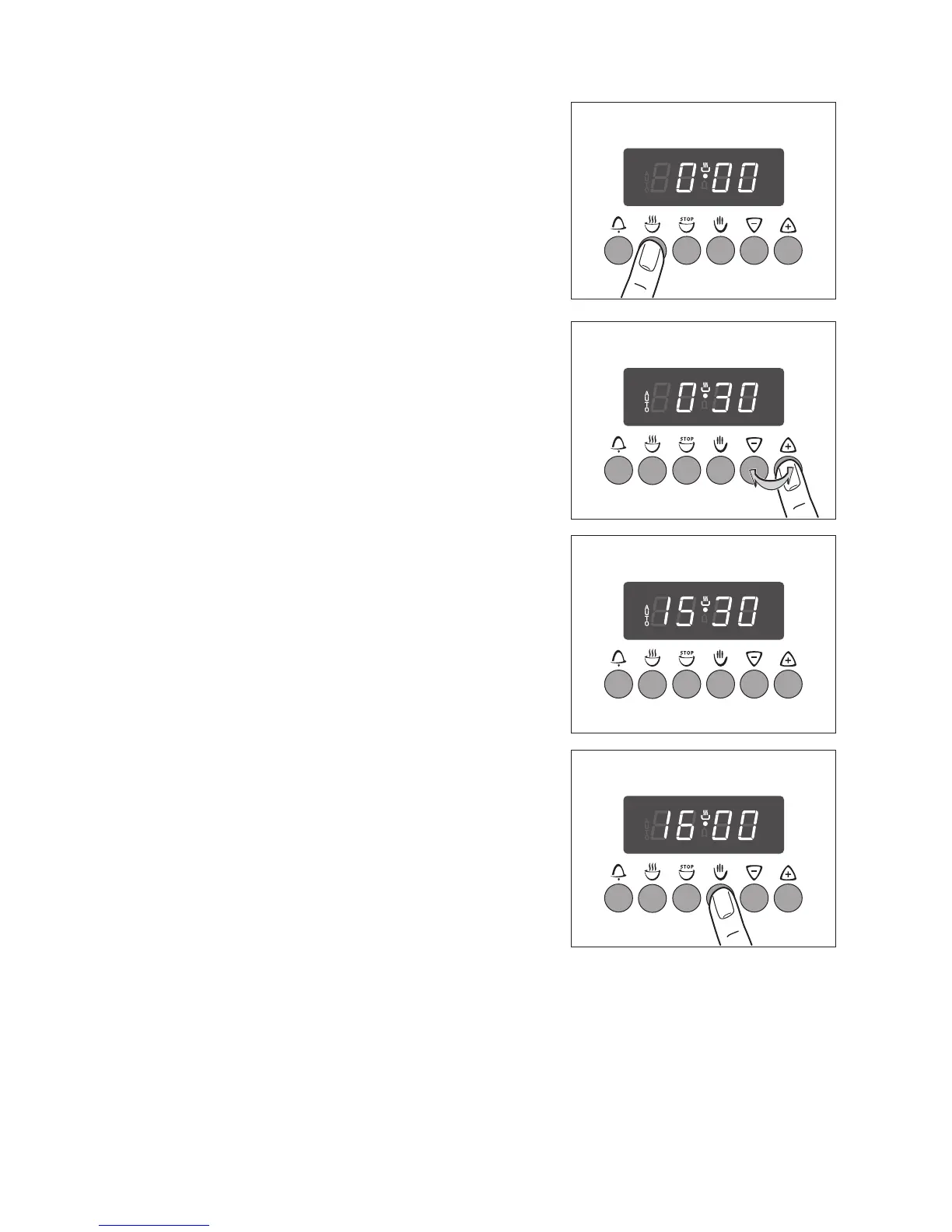
Cook Time d
1. Press the Cook Time d button.
2. Using the + or - buttons, set the desired cooking
time (max. 10 hours).
The display will switch back to the time after approx.
5 seconds have lapsed. The “AUTO” symbol indi-
cates that the oven is switched to the automatic op-
eration mode.
When the period of time has lapsed, a signal will
sound for 7 minutes and the oven will switch itself
off.
3. Switch off the acoustic signal and the pro-
gramme by pressing the Manual Set H button.
Turn the oven function and temperature selection
switches to OFF.



 To Next Page