18
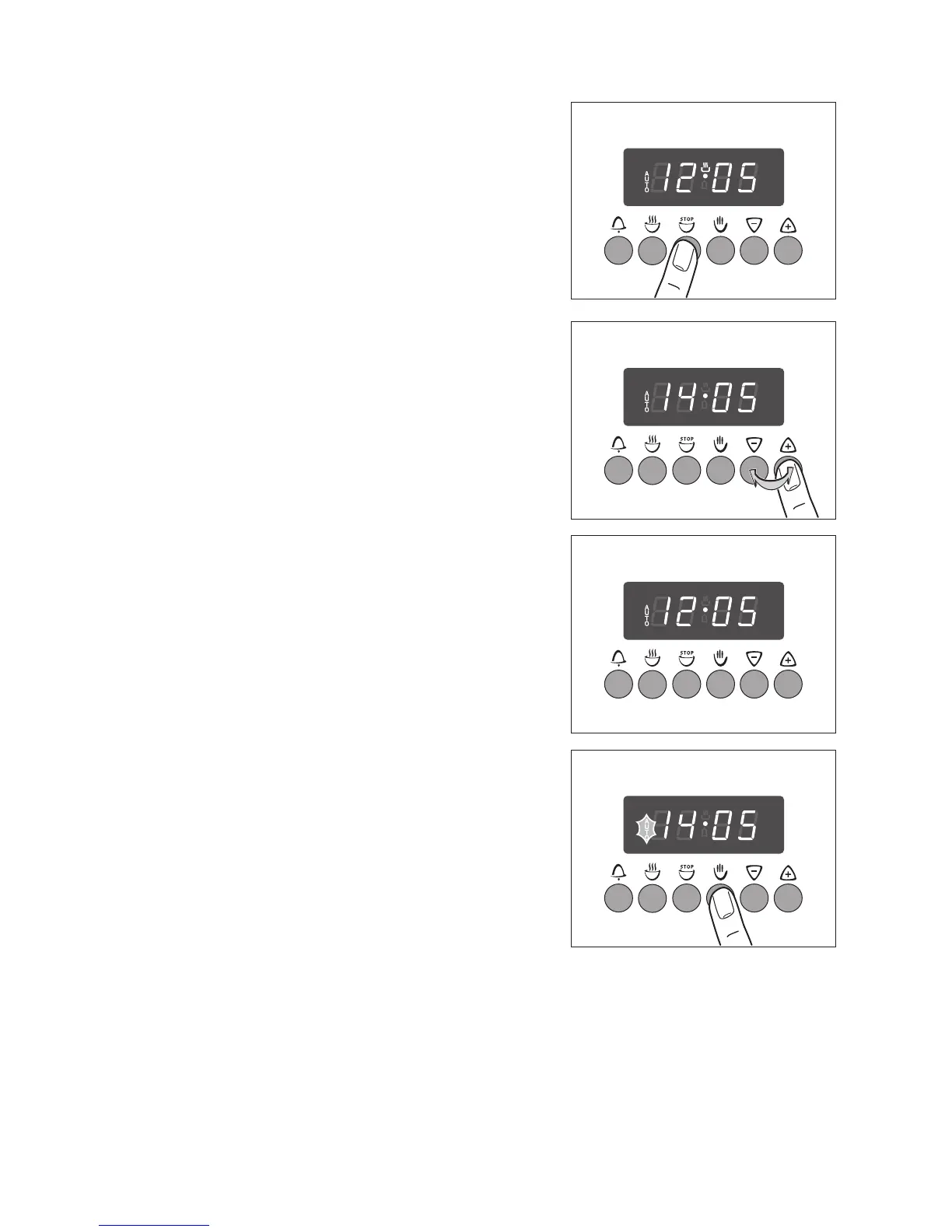
End e
1. Press the End e button.
2. Using the + or - buttons, set the desired time that
the oven should switch itself off.
The “AUTO” symbol will light up and the time will be
shown in the display.
The oven will automatically switch itself on.
When the time has lapsed, the “AUTO” symbol will
flash and a signal will sound for 7 minutes and the
oven will switch itself off.
3. Switch off the programme by pressing the Man-
ual Set H button.
Turn the oven function and temperature selection
switches to OFF.



 To Next Page