19
Cook Time d and End e functions com-
bined
3 Cook Time d and End e can be used simulta-
neously if the oven is to automatically switch
on and off at a later time.
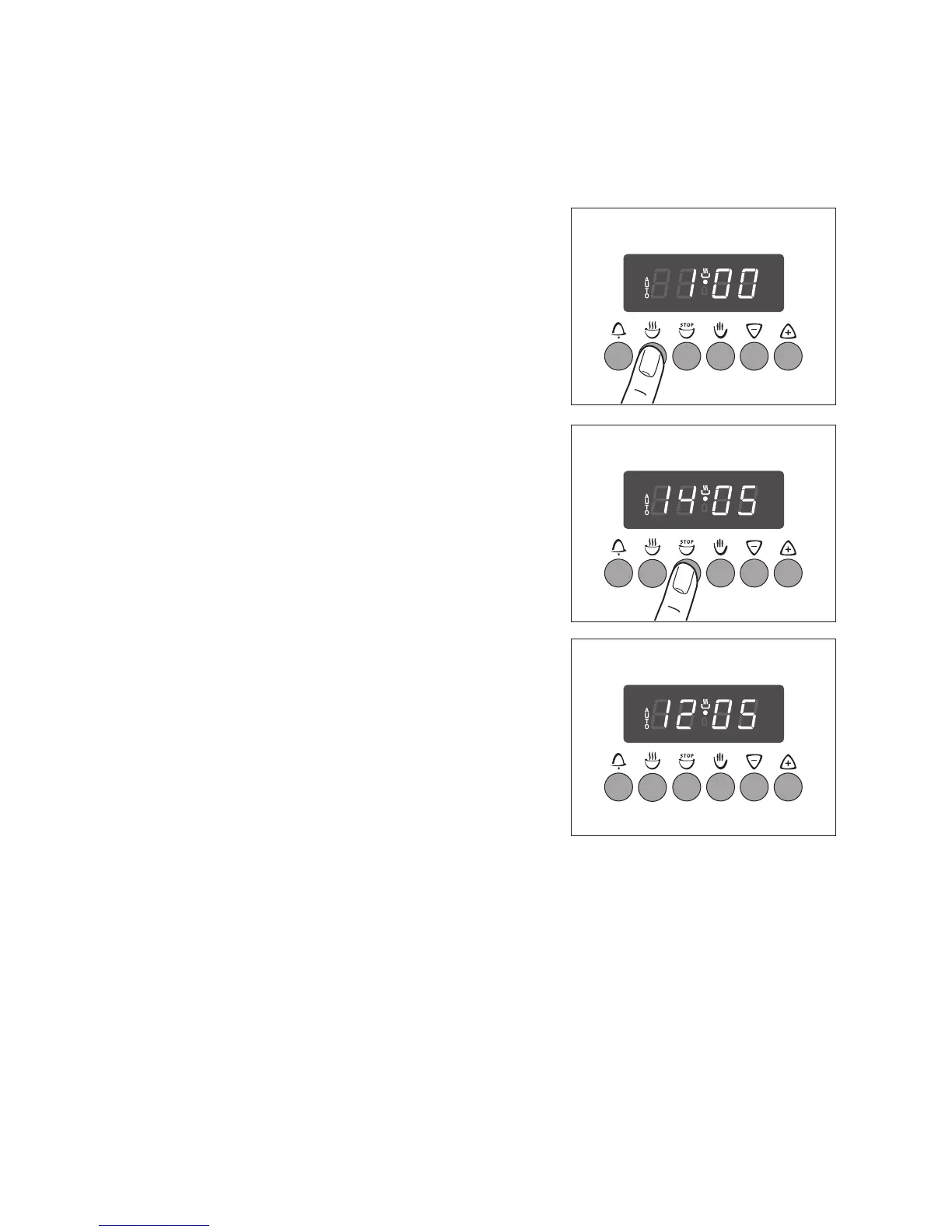
1. Select the oven functions and temperature.
2. Using the Cook Time d function, set the period of
time that the dish requires to cook.
e.g. 1 hour.
3. Using the End e function, set the time at which the
dish is to be ready.
e.g.: 14:05 hours.
The “AUTO” symbol will light up and the time will be
shown in the display.
e.g. 12:05 hours.
The oven will automatically switch itself on at the ap-
propriate time as calculated.
e.g. at 13:05 hours.
And will switch itself off after the Cook Time stated
has elapsed.
e.g. at 14.05 hours.
4. Switch off the programme by pressing the Man-
ual Set H button.
Turn the oven function and temperature selection
switches to OFF.



 To Next Page